
Book Issue
Creating New Book Issue
To create a new Book Issue, please go to Library -> Book Issue -> Create New.
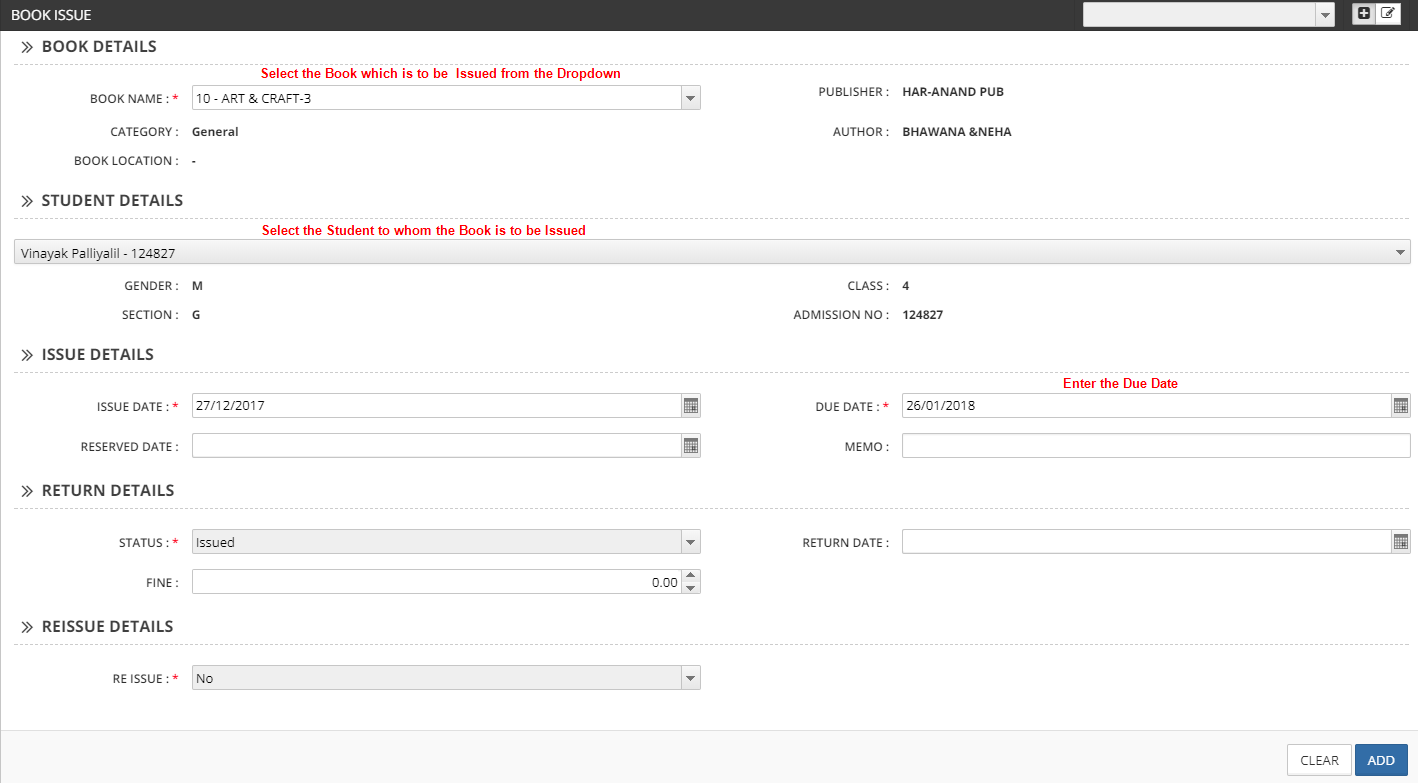
Click Add after entering the above details for Issuing the Book.
Book Return
Creating Book Return
To create a Book Return, please go to Library -> Book Issue
In this Screen, you can see the transactions for all the Books Issued / Returned.
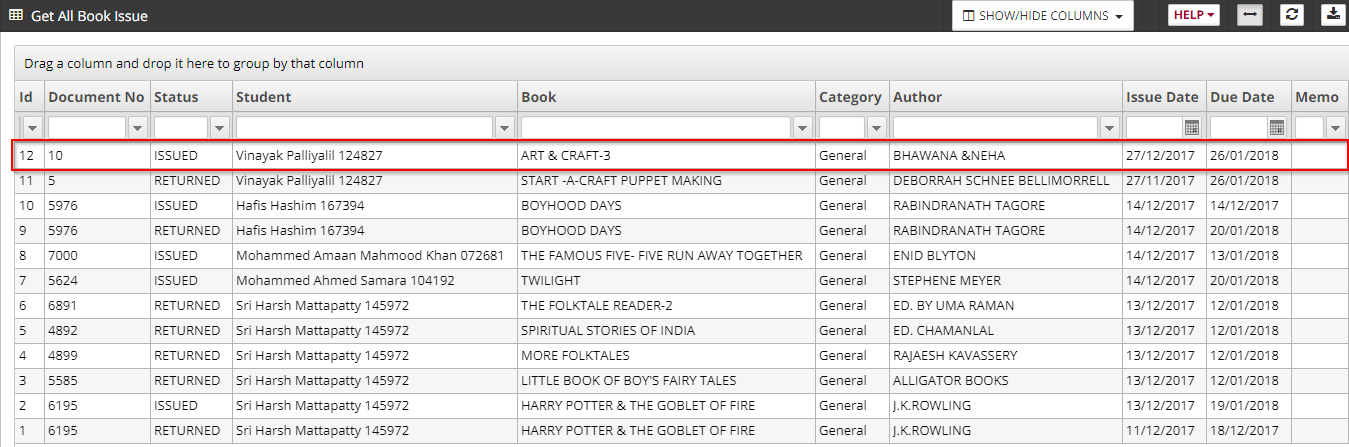
Click on the transaction for which return details is to be recorded.
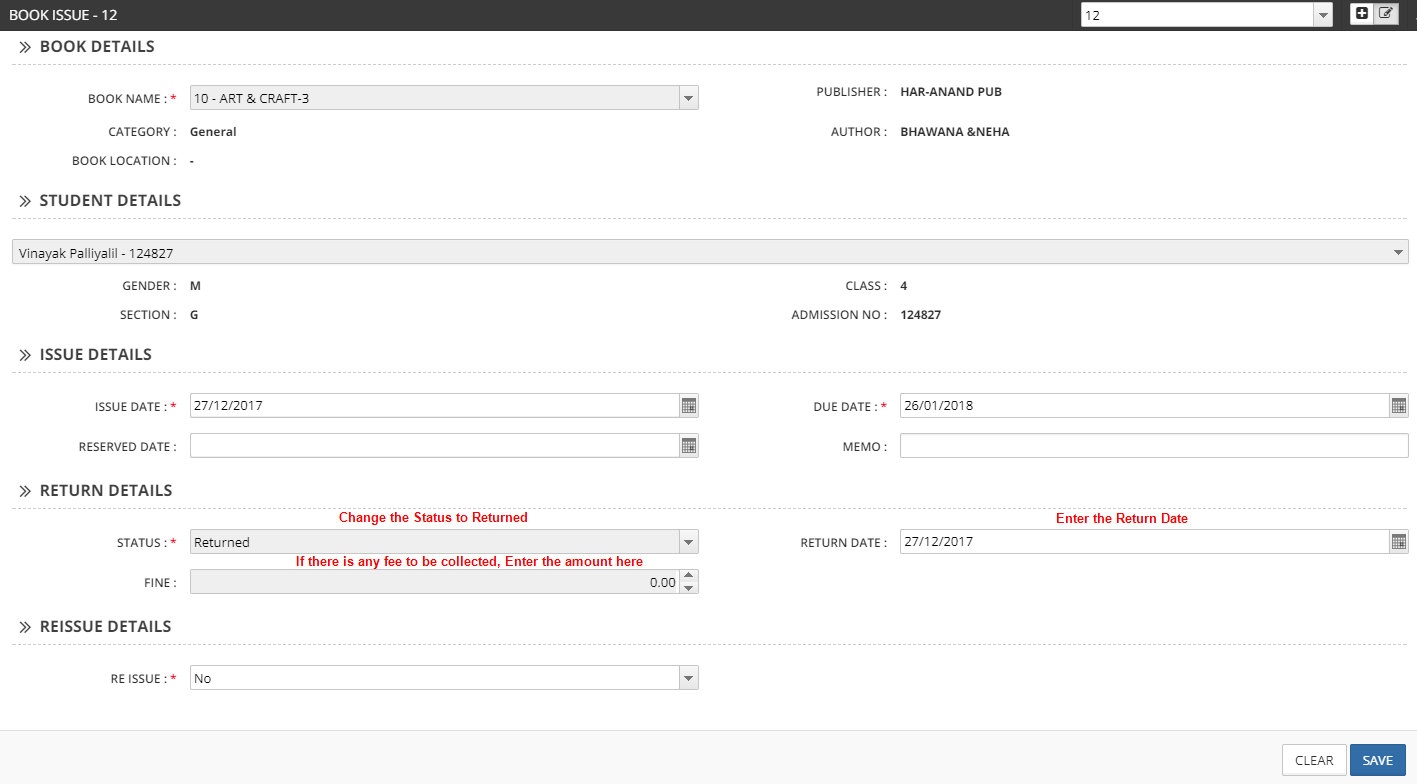
Click on the save button after entering the above details for Book Return.