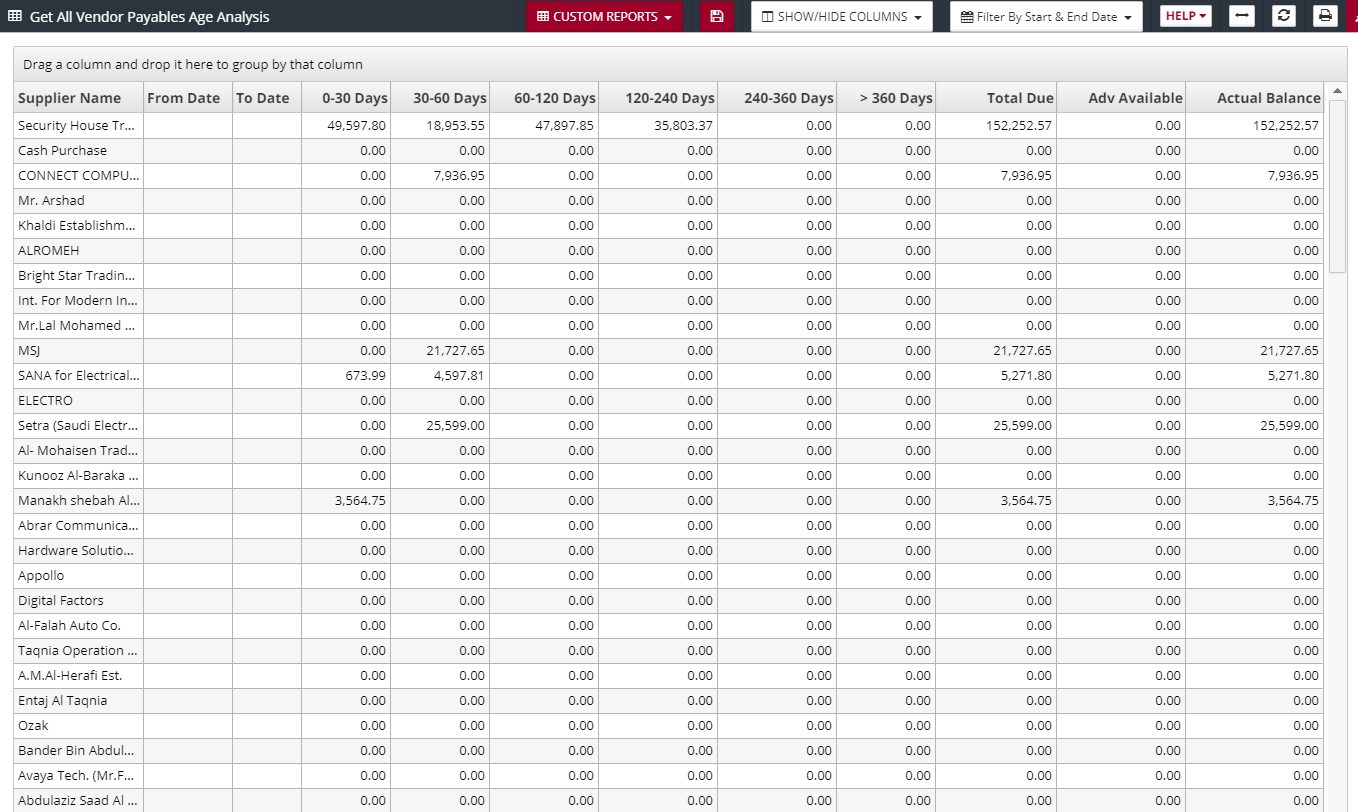
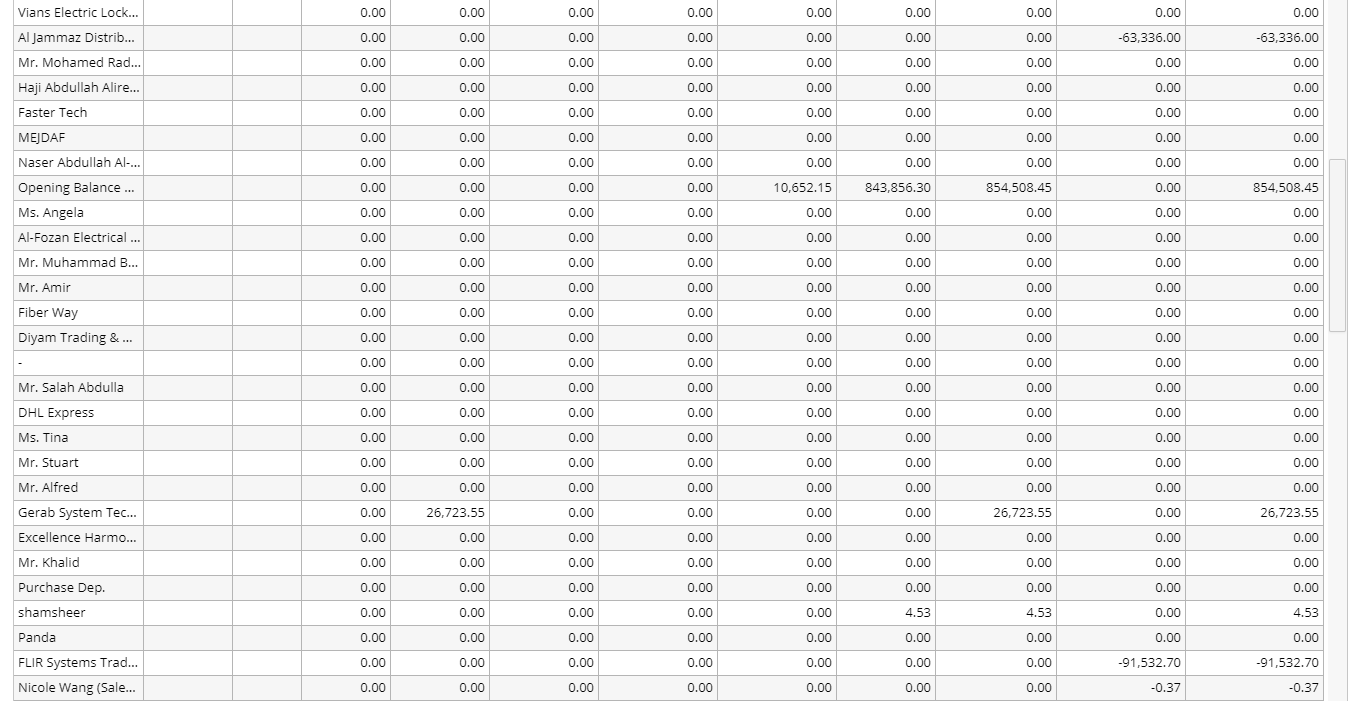
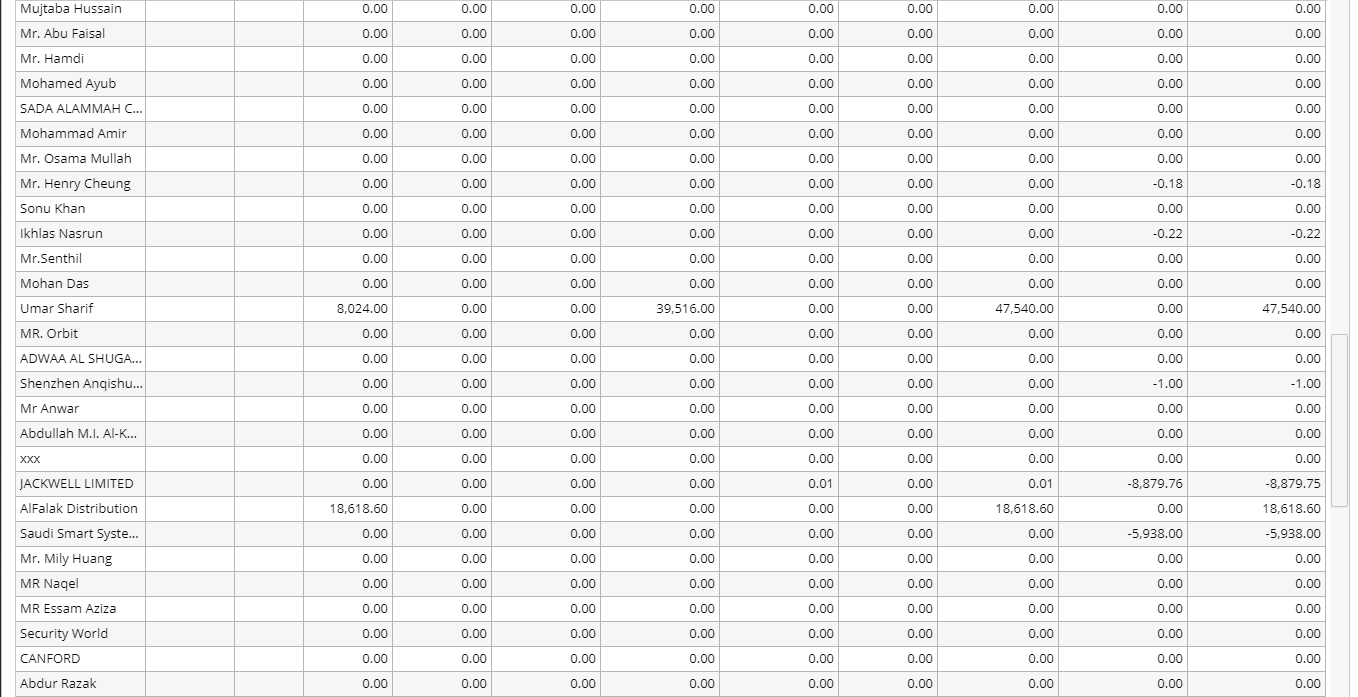
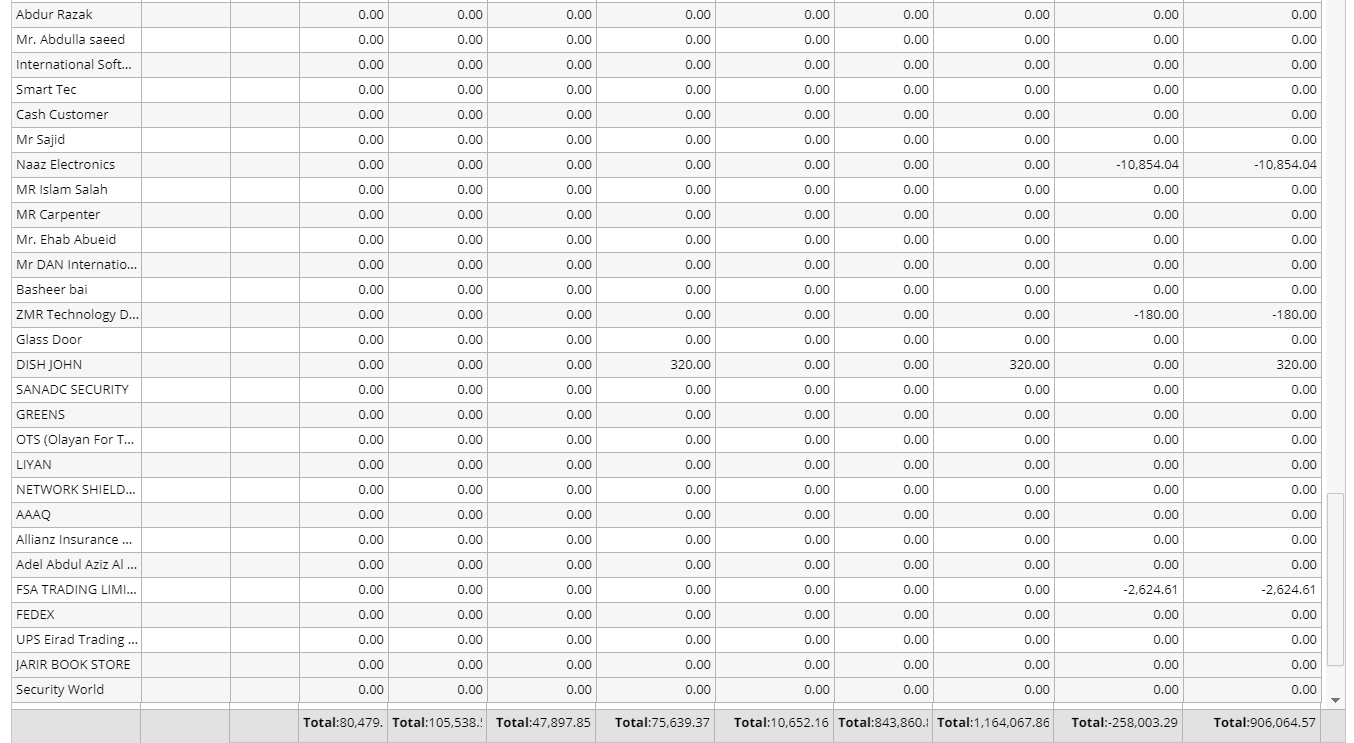
Click Customer -> Customer Receivables Age Analysis
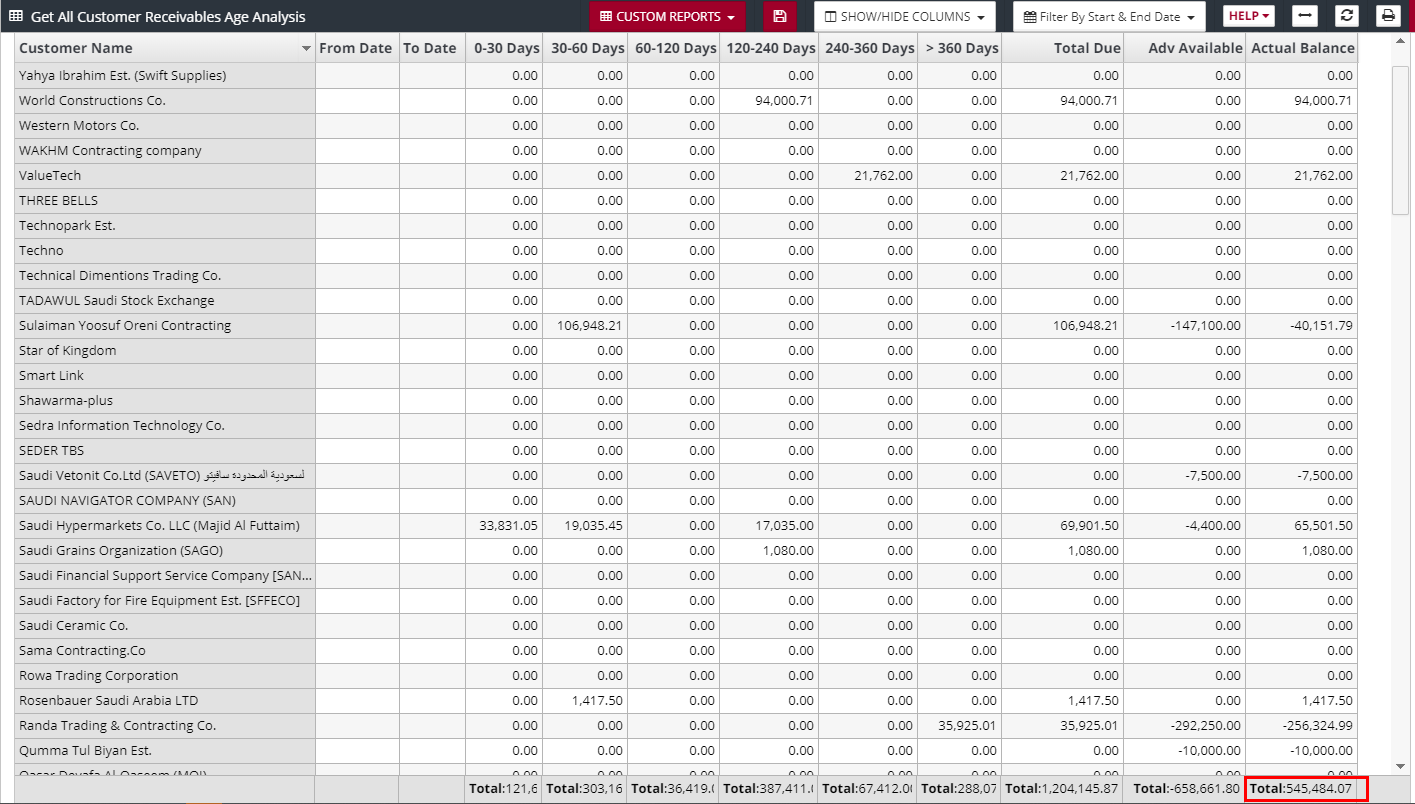
Note: the Total Due and Adv Available Balance columns. Total Due should match Accounts Receivable Ledger balance, and Adv Available should match Customer Advance Ledger Balance
You can see, it matches below.
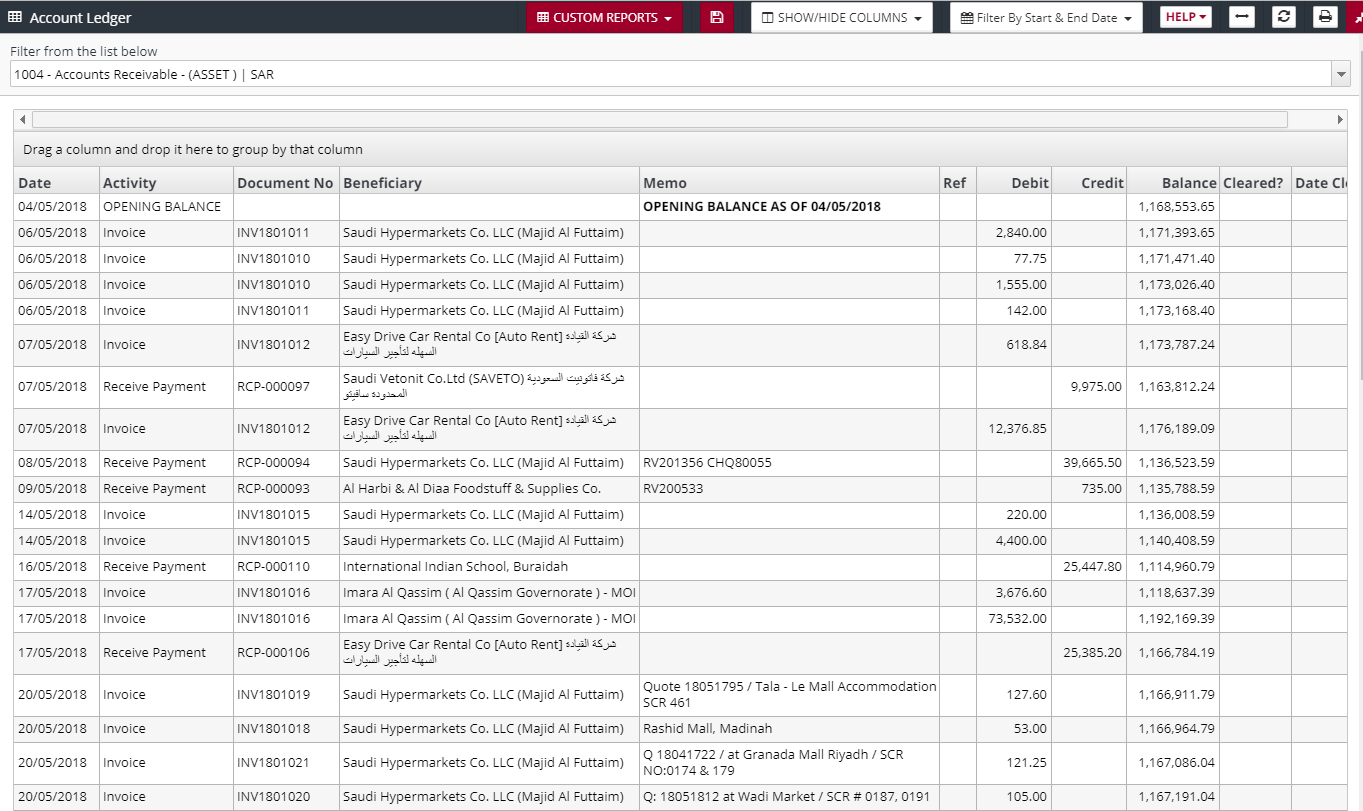
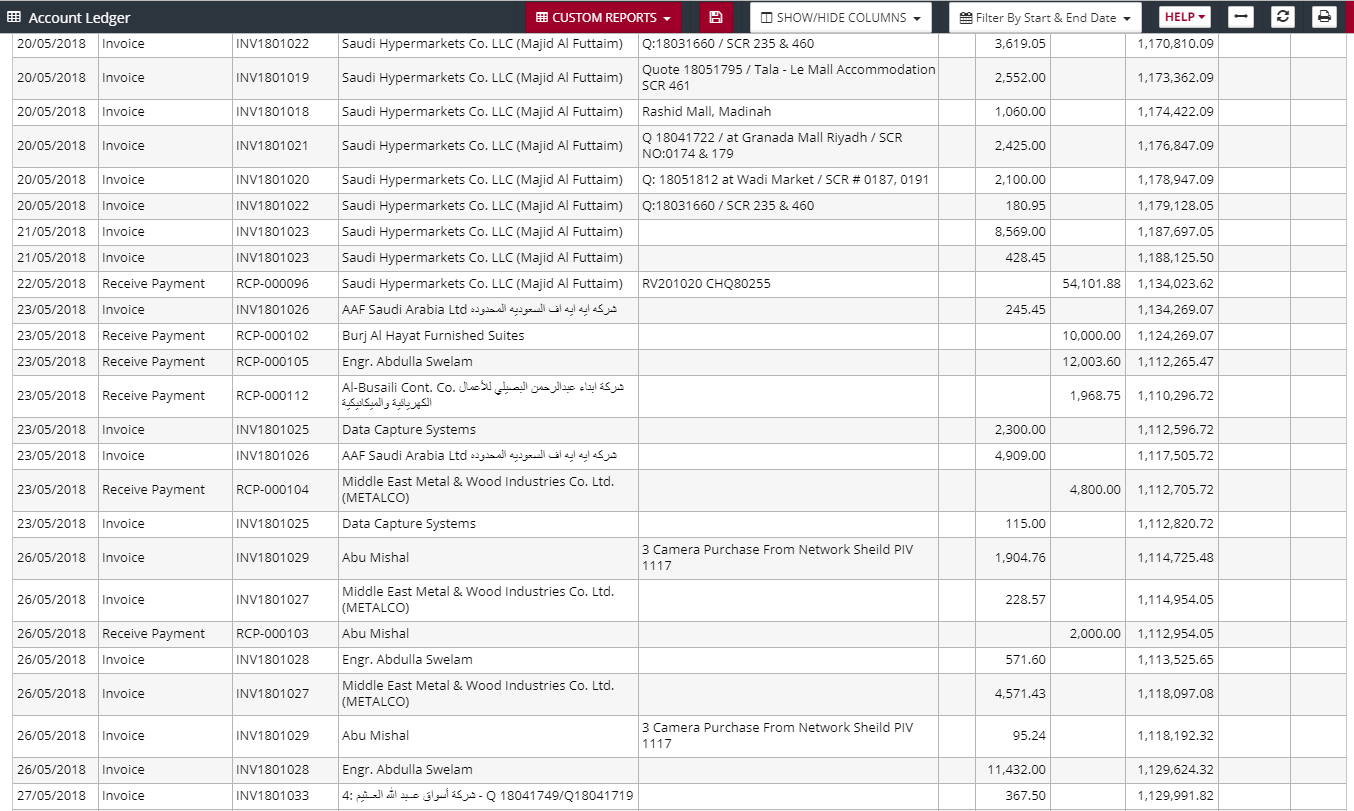
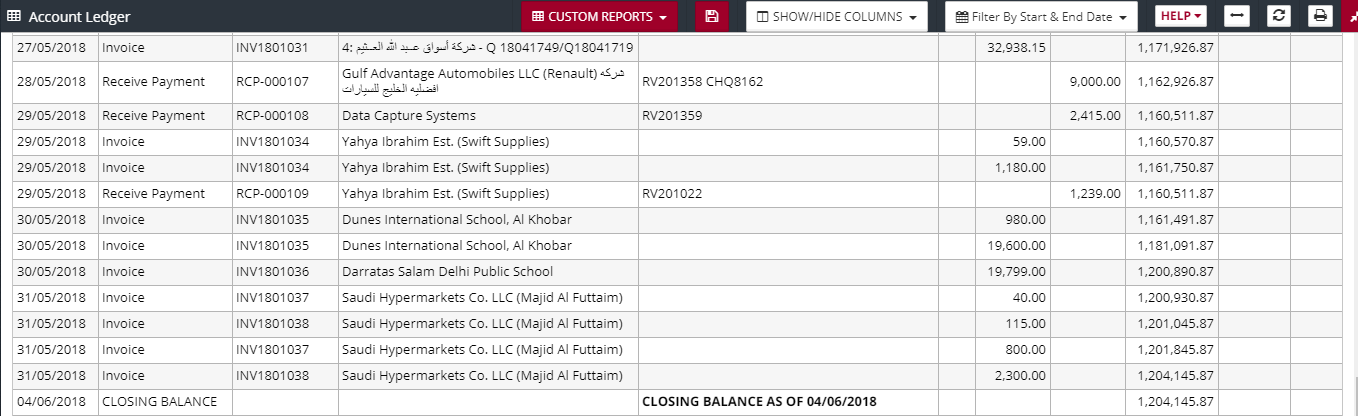
But as you can see below, it does not match with Customer Advance
Customer Advance:
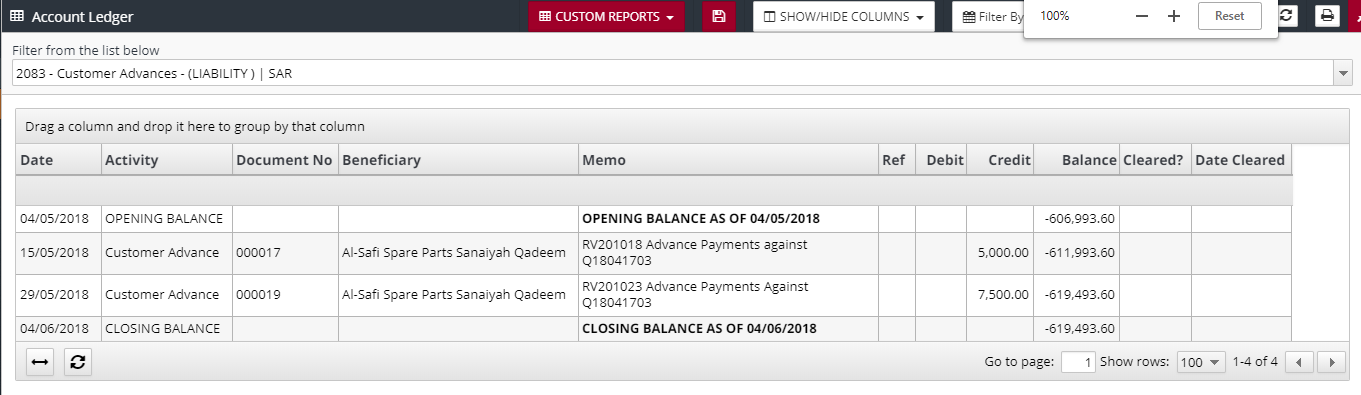
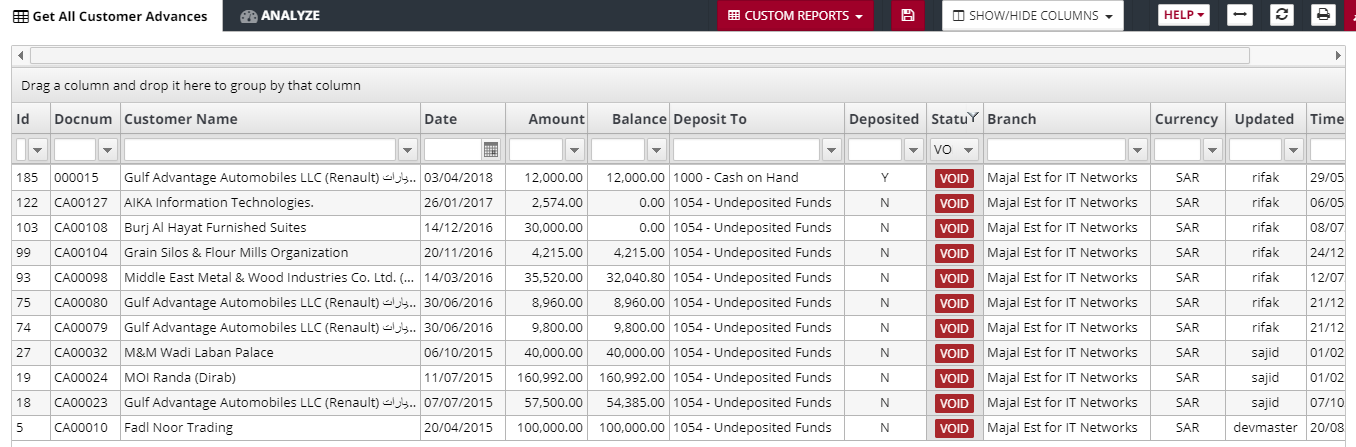
Its because of the below 4 Customer Advances, that are partially applied and then VOIDED. When you VOID, the DEBIT entry is removed for Customer Advance, but the Credit Entry, advance which was applied in receive payment is not removed. If this is corrected then the balance will match.
Vendor SOA Age Analysis: