Customer Jobs
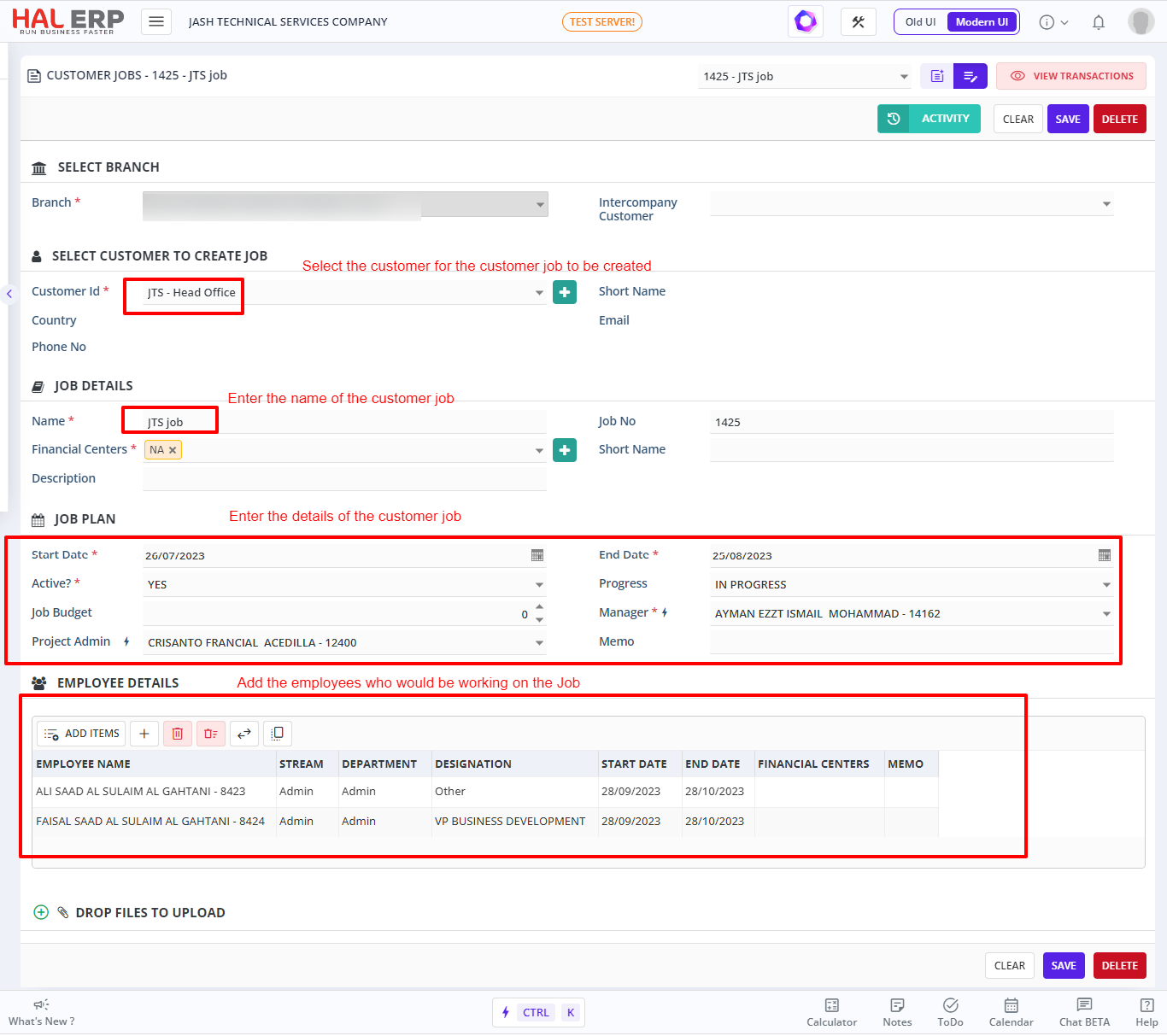
Customer Jobs screen is used to assign jobs against customers. This is used to create new jobs and assign them to the corresponding customer.
How to Create a New Customer Job?
To create a new Customer Job,
- Select Customer --> Customer Jobs --> Create New
- Select the Customer from the drop down for whom you have to assign the job
- New customer can also be created here by clicking on the + icon next to the Customer ID field
- Enter the Job Details
- Use the Bulk Select Option to select and assign the Employees to this job
- Click on Add to add the new Customer Job
Refer the image below to create a new Customer Job.