
STUDENT REGISTRATION
There are 2 way to do admissions in our system
-
Two Step Process (Will be explained in this document)
-
Create in Student Registration
-
Continue in One Step Registration
-
One Step Process (Please refer to One Step Registration document for complete details)
-
Create and complete everything in One Step Registration
In this document we will discuss about the Two Step Process.
STUDENT REGISTRATION - TWO STEP PROCESS
Our system has been designed to split the work that can be done by different people so that a great amount of Data Duplicate/ Duplicate effort can be avoided.
Our two step registration process allows you to divide the admission process in 2+ parts.
- In the first part, the admission in charge will issue the application forms to the parents and gather basic student and parent information which is sufficient for the issue.
- Once the parent comes back with the filled application the school can open the Student Registration Entry in the One Step Registration form and continue filling only the new data which has come in the filled application.
This 2 step process splits the data entry in to multiple parts so that only the concerned people can update the data and don't have to do the entire data entry twice.
Some of the details included in the student registration are
- Student Details
- Sibling details(if needed)
- Parent details
- Fee details
- Eligibility check
- Linked to accounts to record Income for the sale of Application Forms
How to create a Student Registration?
To create a Student Registration, Go to-> Admission-> Student Registration-> Create New.
Eligibility gets updated automatically based on the Date Of Birth given at top level.
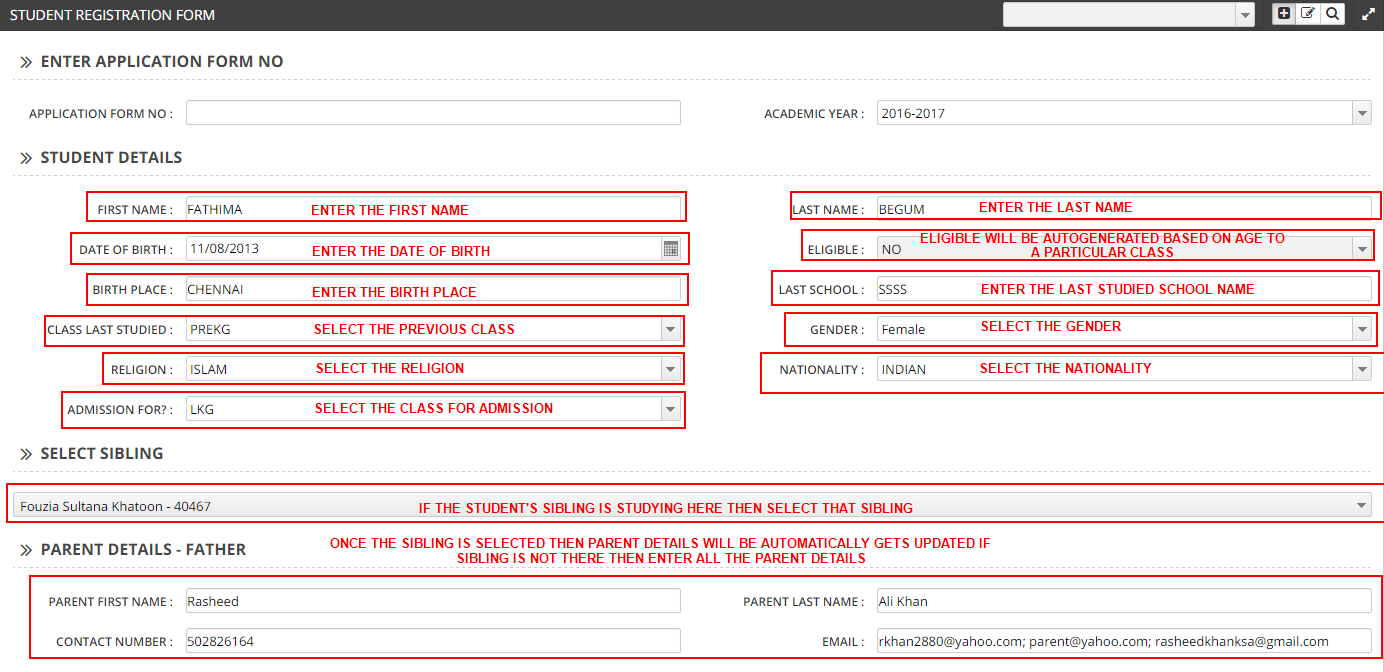
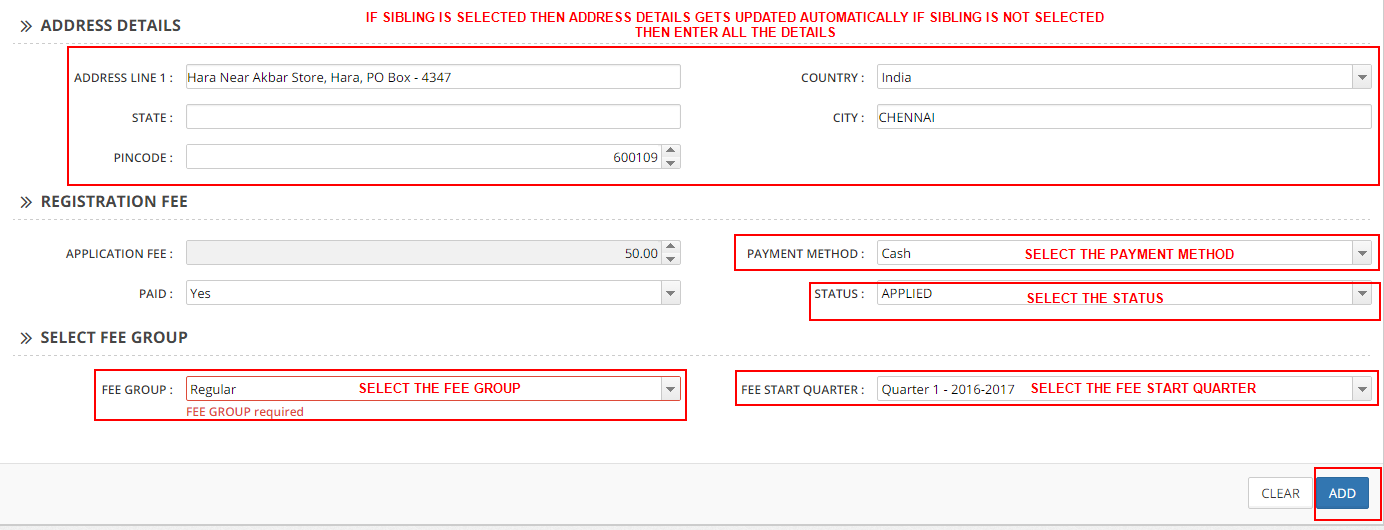
This form also does the necessary accounting entries to record for the income that was generated by the application fee.
Once the registration is complete, this same data can be opened in the One Step Registration form and rest of the details can be completed there when the parent comes with the filled information
Once this entry is done, the registration process can continue from the One Step Registration module. The data entered here would be available in One Step Registration screen, you can search for the student in the transaction screen, double click to open that entry and complete the admission process there.
Please refer to the One Step Registration document for more information.