
How to Create a Shift?
Select Employee Shift Management from Time and Attendance Menu
Click Create New Button.
Enter the Shift Details as shown in the image given below.
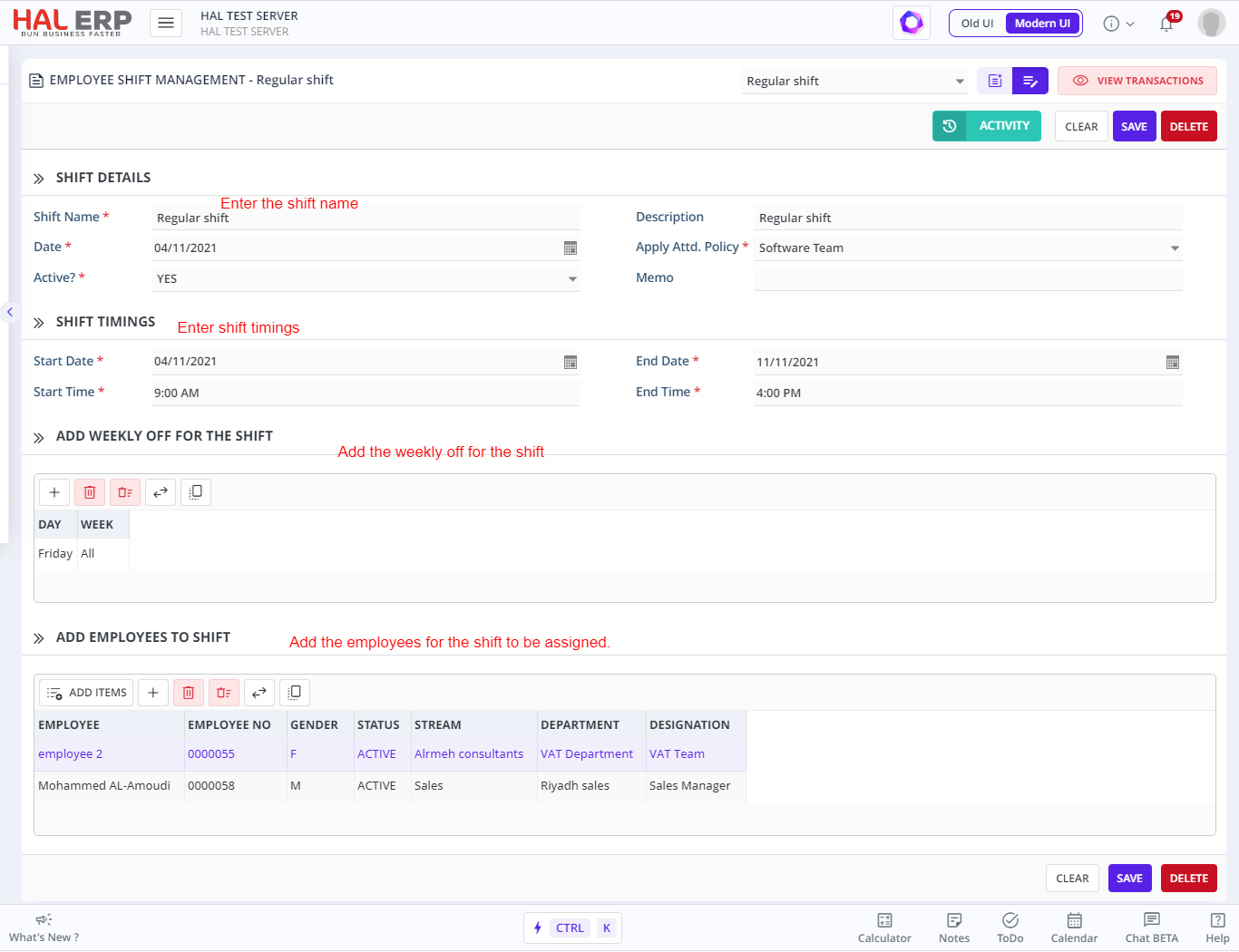
Click on Add button to save changes.
Note:
An employee cannot be assigned to two shifts that overlaps by date or time.