
What is a purchase Request?
Purchase Request is used by the company staff to request the purchase department to purchase/issue the listed item for a given job/reason or for a Sales order received.
How to create a Purchase Request?
To create a Purchase Request,
- Select Procurement->Purchase Request-> Create New
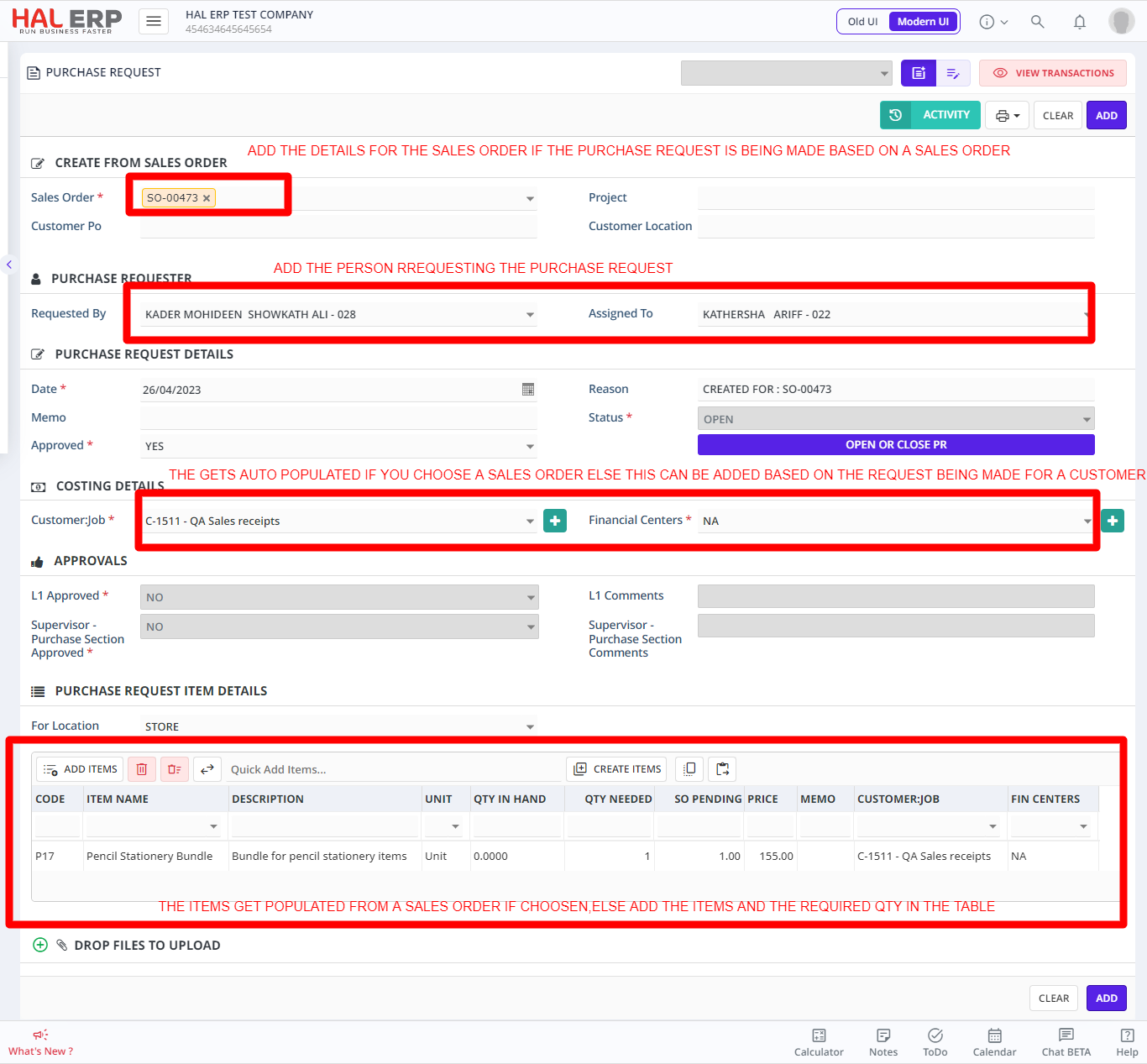
Click Add button to create the Purchase request
The required approval flow can be set as per your requirements. This access can be given to individual employees who frequently deal with purchase requests.
Once the request is approved, the purchase department can then use the Purchase Issue screen to convert this request into an issue document without much work (by just selecting the correct request in the Purchase Issue screen) and directly issue it to the required employee or use the Items to deliver based on the Sales order received for which the Purchase request was raised
You can even issue items partially, meaning, first 2 items can be issued first, then the balance would show the next time you try to convert this same request to issue.