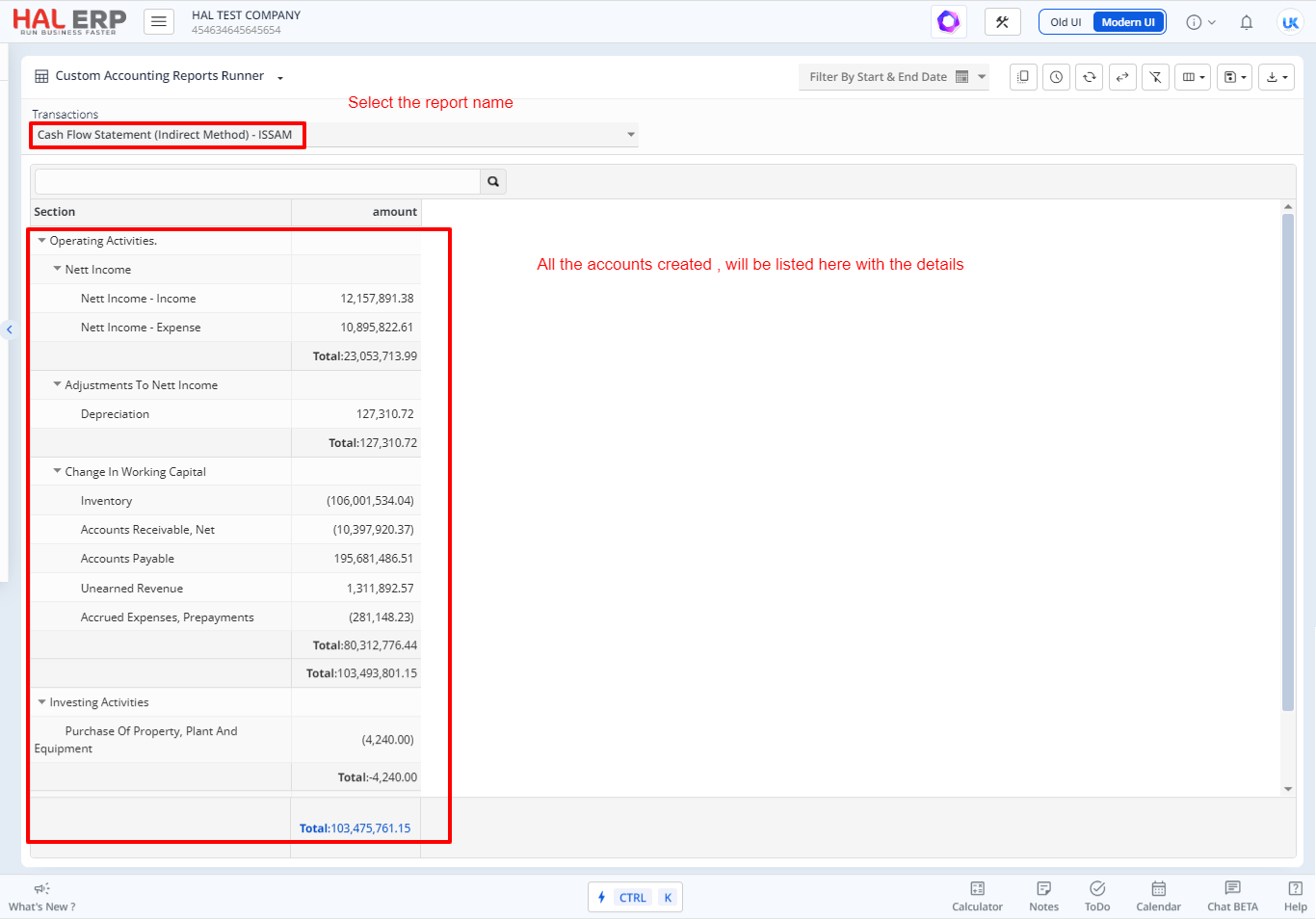
To create a Cash Flow report as in the below given sample report in HALERP,
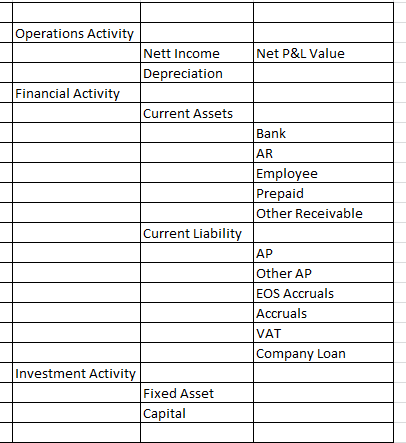
Step 1: Go to Accounting reports-> Custom Report Master->Create New
Enter the name of the report to be created.

Step 2: Go to Accounting reports->Custom Report Creator
Create all the Header Accounts (Operations activity, Financial Activity and Investment activity) as shown in the below screenshot.
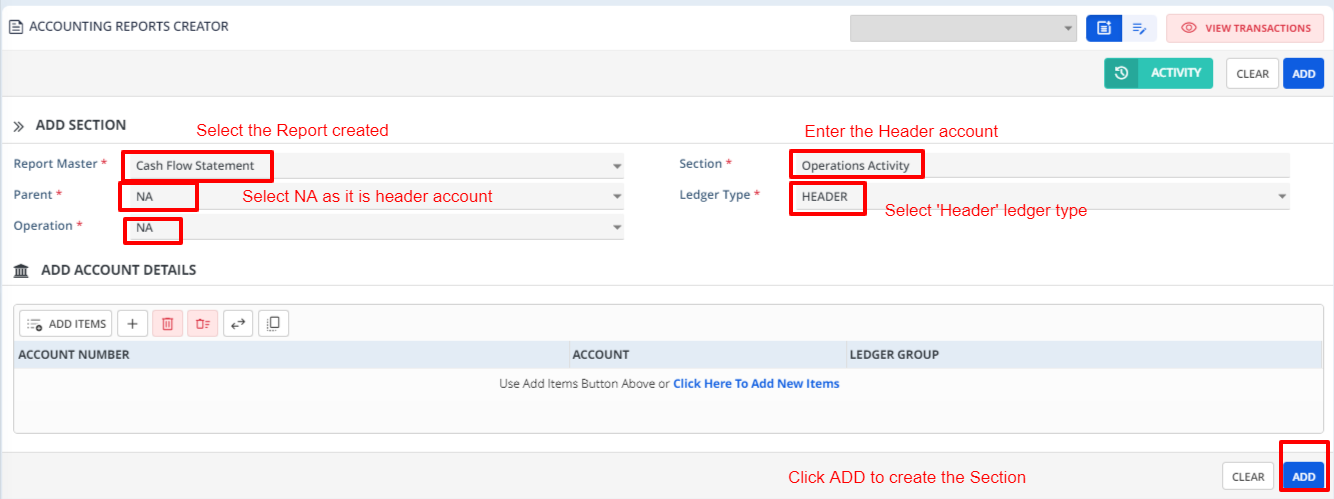
Similarly create the Header accounts as shown below
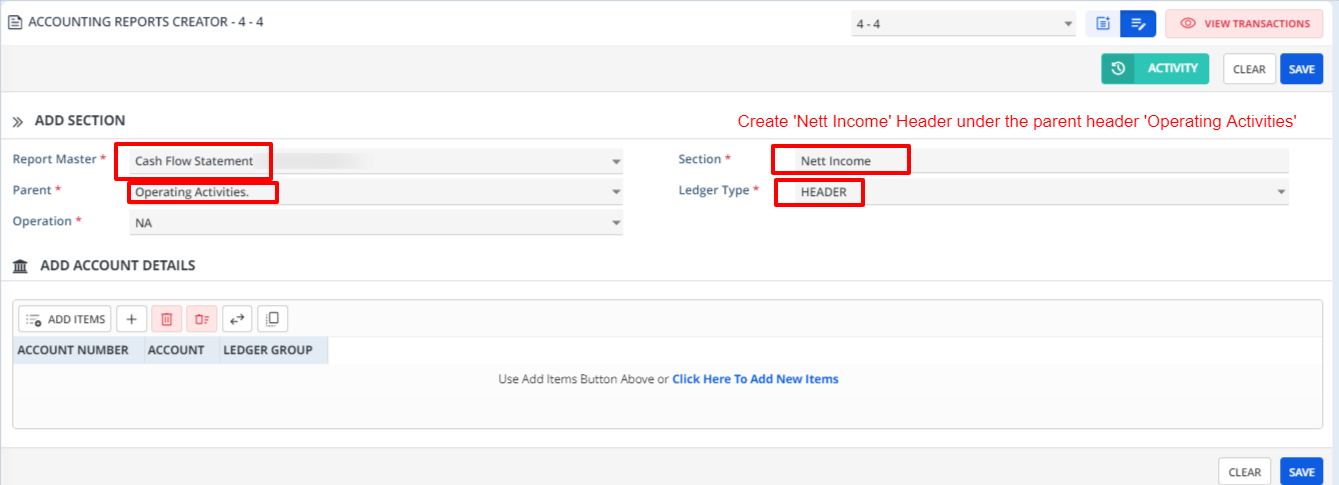
Create the 'Detail Ledger' ledger types as below
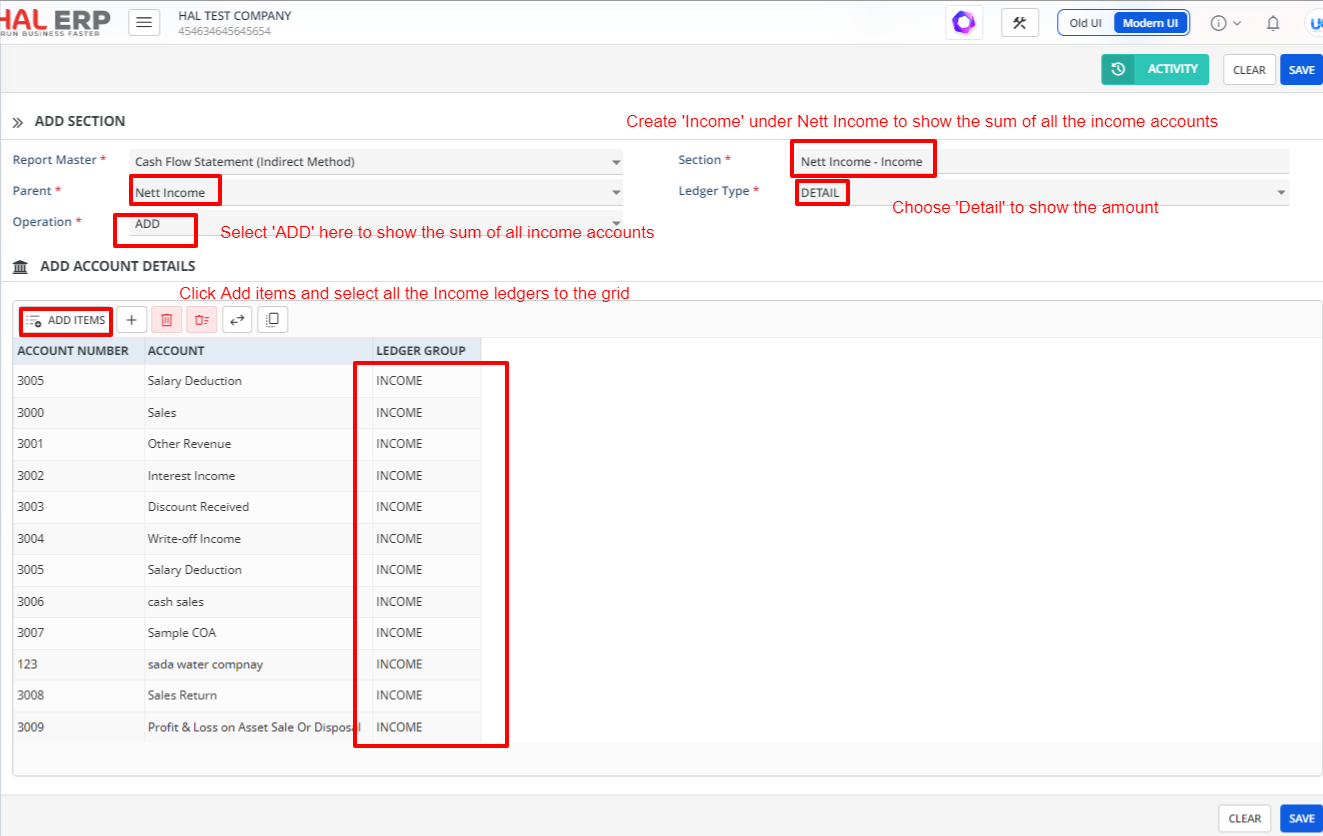
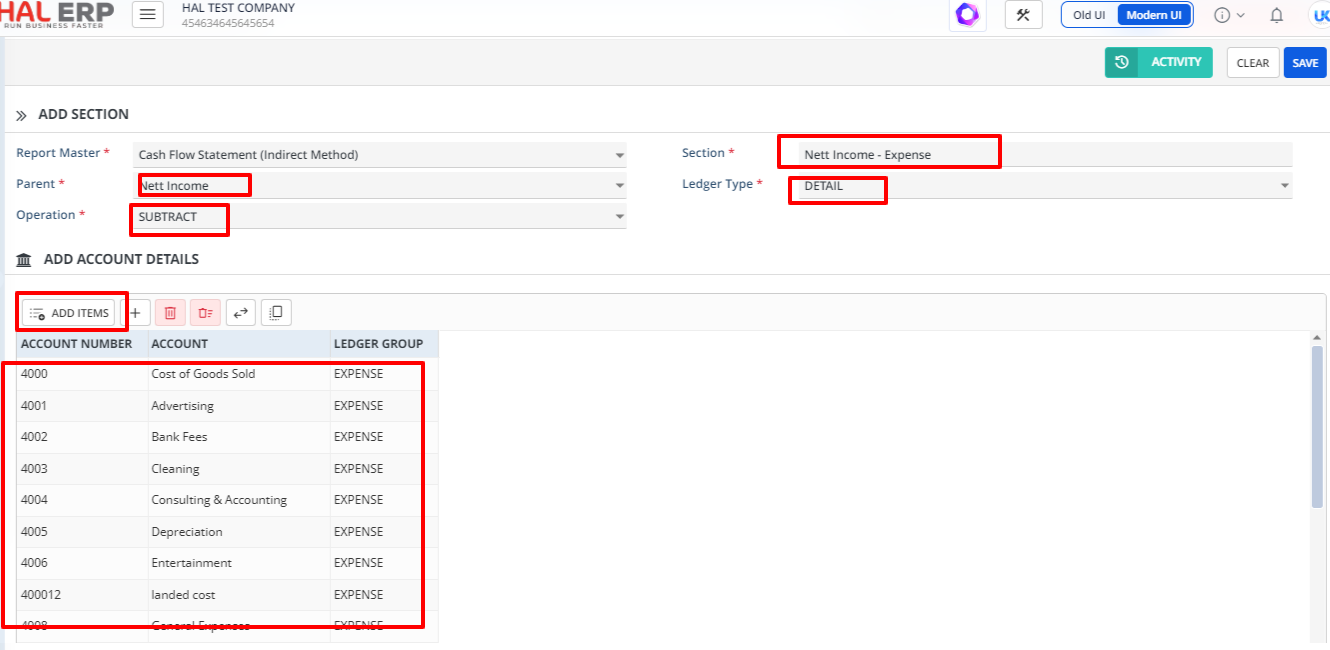
You can create the Header and Detail accounts as per the sample report using this form.
Once all the accounts are created, then the report can be run.
Step 3: To run the created report, go to Accounting reports-> Custom Report Runner