
Payroll Configuration
Payroll configuration screen is used to assign Payroll Package for the employees.
When payroll package is configured for an employee, he will be eligible for any further allowances or the procedures followed in an organization like salary advance/loans/Pay adjustments, etc...
To configure the payroll package for an employee,
Select Payroll Master from Human Resource Menu
Select the Package and the Employee to whom it is assigned.
Enter the Payscale of the Employee.
When the Package is selected, the Item Grid gets loaded with the Pay Components.
The amount of the each Pay Component can be edited as required for the employee.
If an employee is configured with a package, another package cannot be assigned for the same employee.
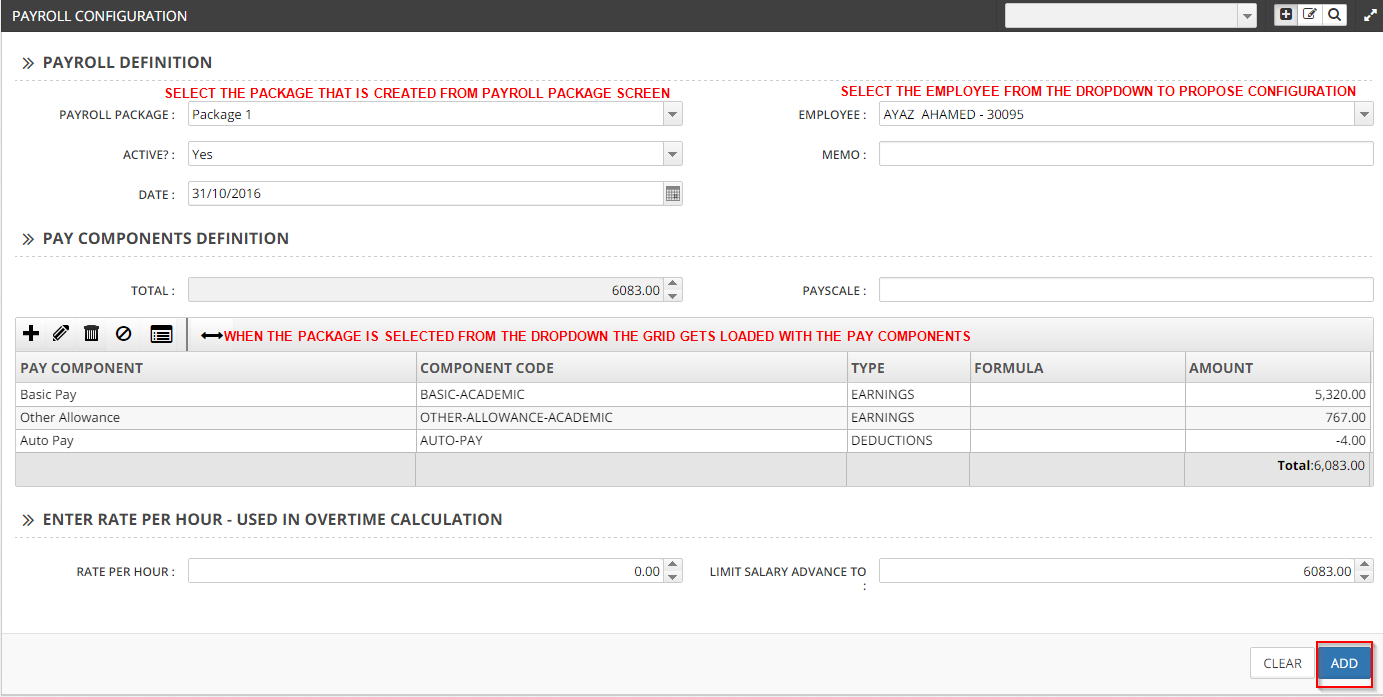
Click on Add button to save the configuration for the employee.
Likewise, Payroll Package is configured for all the employees of the company or an institution.