
CONSUMABLE INVENTORYTypes Of Items
There are 3 types items in our system.
- Inventory
- Consumable
- Non Inventory
Inventory Items
These items are to be used for items which are Purchased -> Stocked -> Sold. Typical example for a school would be the book stores where the items are books, they are purchased, stocked in inventory of the school and then later sold to the students
Consumable Items
These are items which are Purchased -> Stocked -> Consumed. Typical example for a school would be items like pens, letter pads, stationary items etc. These are purchased and issued to the school staff and the staff later consume them completely.
Non Inventory Items
These are the items that are used to record expenses incurred during purchase. They are used to indicate freight cost, shipping cost and other charges. They have nothing to do with inventory and are not stocked. They are treated purely as expense items
Creating New Items
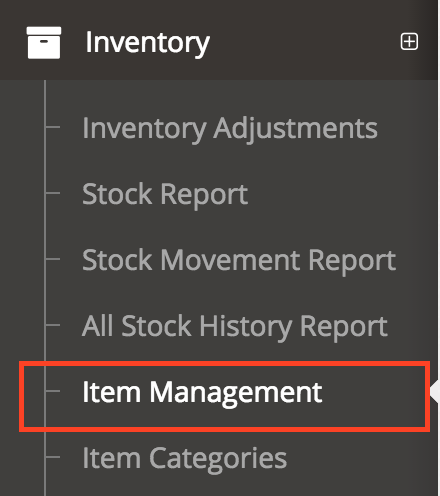
To create a new item, please go to Inventory -> Item Management. This is a central place to create all the 3 types of items.
-
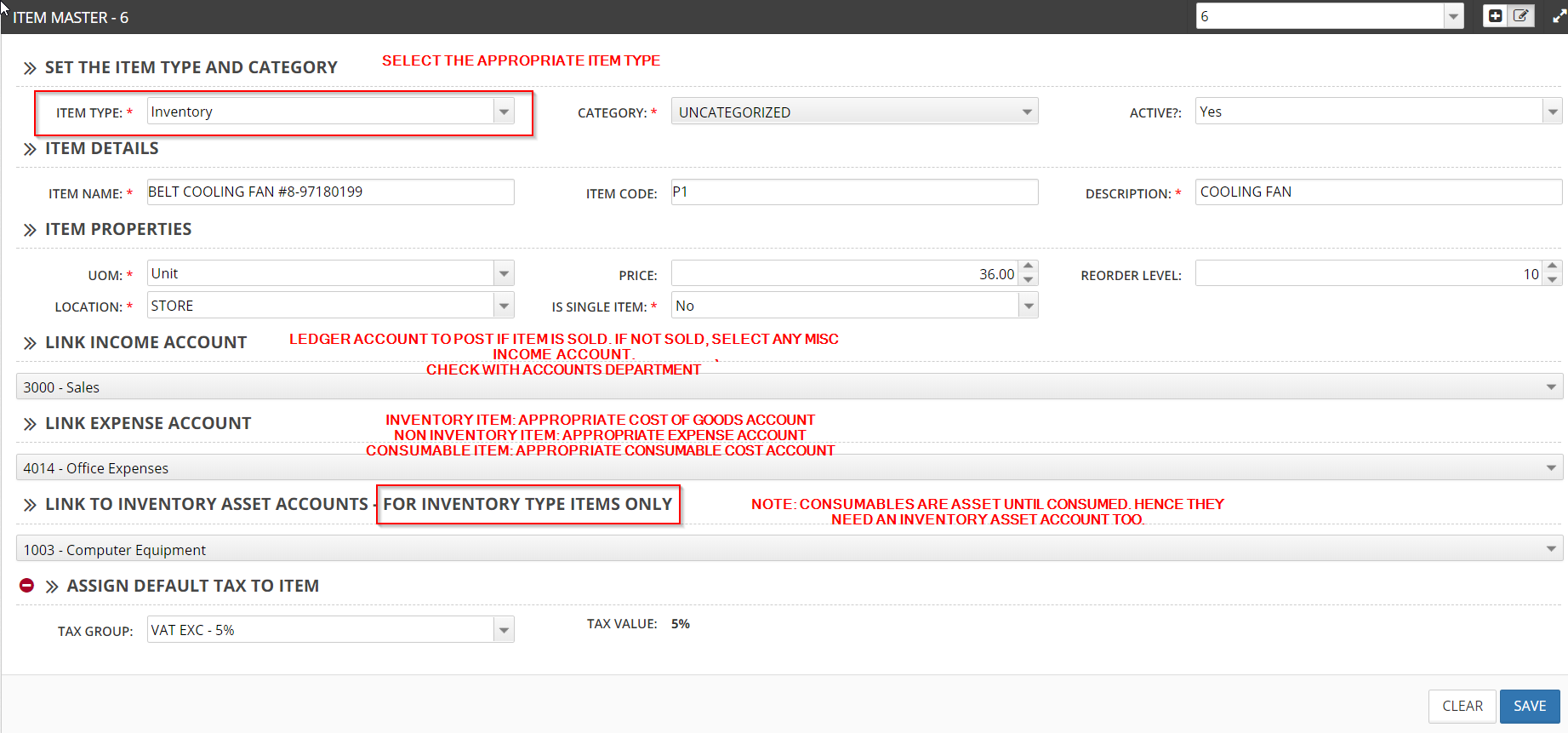
Item Details
- Enter General Item Details like Name, Description, Category etc.**
-
Item Properties
- Enter the default price of the item
- Select the appropriate Item type, i.e. Inventory, Non Inventory, Consumable**
-
Linking Accounts To Items
-
There are 3 accounts every item much be linked to
-
Income Account
-
**Ledger account to post if the item is going to be sold.
-
In case of consumable or non inventory item or items that are not going to be sold, just select ANY income account. If its not sold, then this account wont be used
-
Inventory Item
- Select appropriate income account**
-
Non Inventory Items
- Select any income account
- This wont be used.
-
Consumable
- Select any Income Account
- This wont be used.
-
-
Expense Account
-
This is the item that is posted when expense is incurred
-
For inventory Type Items, the Expense is only incurred when you Sell or Consume the item. Until then it is an Asset
-
Inventory Item
- For inventory items the Expense Account is Cost Of Goods Sold Account
- For inventory items, the expense is only incurred when you sell the item in the sales module.
-
Non Inventory Item:
- **For non inventory items it is the appropriate Expense account, eg. For Freight cost Item it may be linked to Freight Expense Account
- This
-
Consumables
- **For consumable items, it is the appropriate consumables cost account.
-
Inventory Asset Accounts
-
This asset account is posted when you purchase Inventory or Consumable items
-
All Inventory items are Asset
-
All Consumable items are asset until consumed
-
Inventory Item
- For Inventory items you can use the Inventory Asset Account**
-
Non Inventory Items
- For Non Inventory items, you can just select any asset account.
- This wont be used.
-
Consumables
- For Consumable items, you can use Inventory asset or any other asset account as suggested by Accounts department. *++PURCHASING++ **
-
-
-
Purchasing an item consists of 2 steps.
- Create Purchase Order
- Create Item Receipts based on Purchase Order
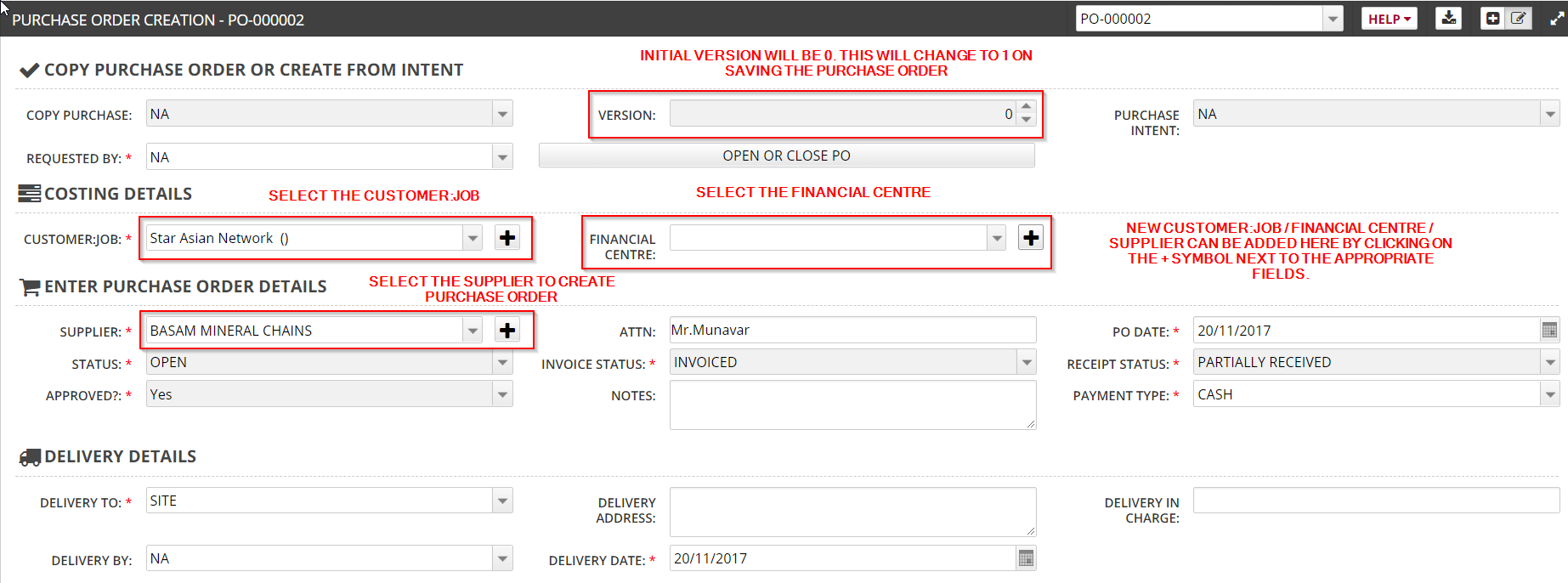
Purchase Order
This is just the initial document created for the sake of purchasing. This does not affect inventory or accounting.
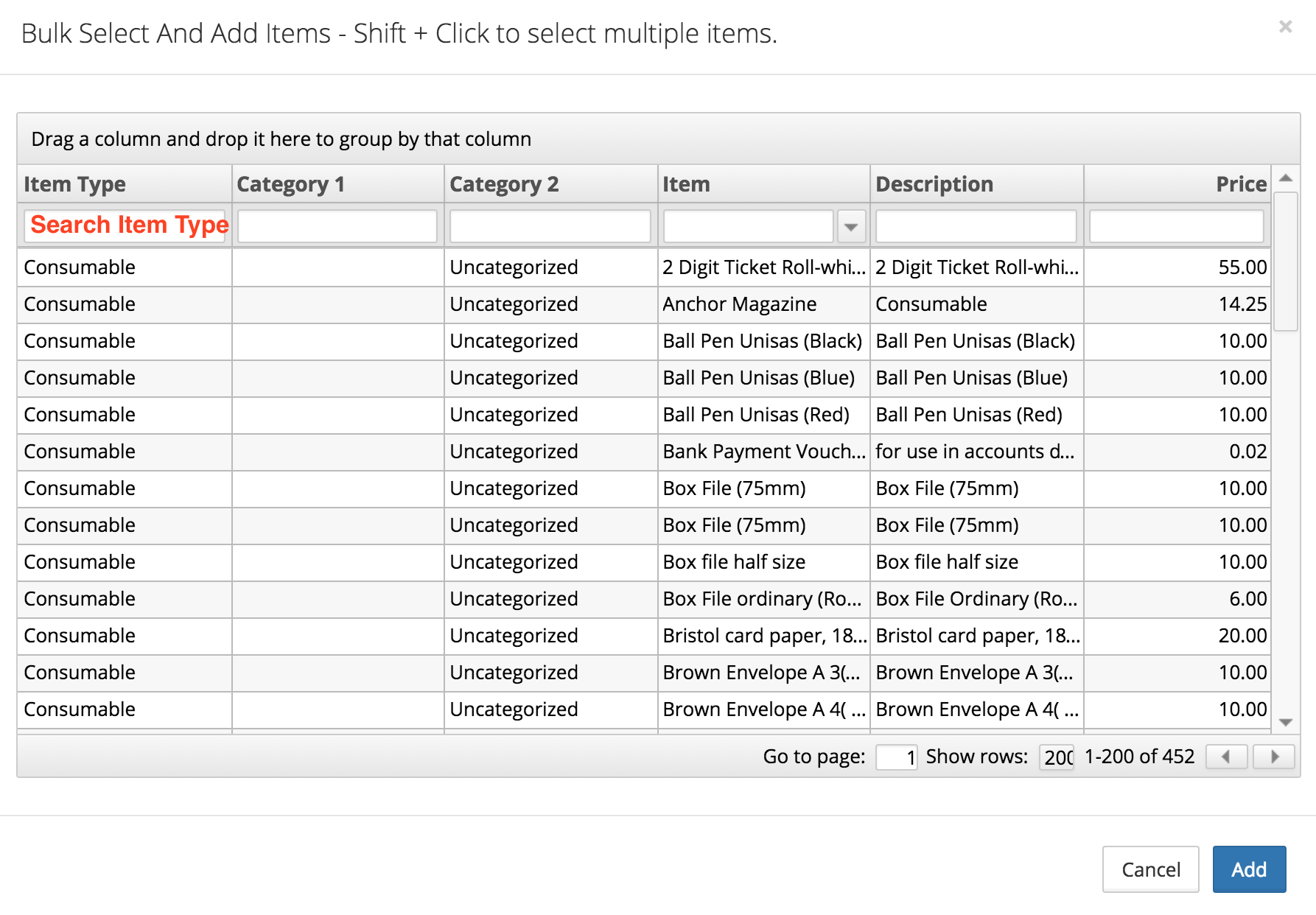
Adding Items Using Bulk Select
Item Receipts
To actually receive the items into the inventory you must go to Item Receipts -> Select Purchase Order -> Save. This will receive all the items from the PO into inventory.
For non inventory items, this will do the necessary expense transactions
Purchase Intent – Only for Consumables
This screen is used to deal with only Consumable items
Use the purchase intent screen to record purchase intent from different staff.
This does not do any inventory or accounting activity, however this has different levels of approval to get the necessary approvals for purchase.
This screen can be used whenever approval is needed for a purchase.
The advantage of using Purchase intent is that, if an intent is created, you can go to Purchase Issue, select the intent. This will copy all the data from the intent. You can then directly do the issue.
Purchase Issue – Only for Consumable Items
This screen is used to deal with only Consumable items
Here, you can either select an existing Purchase Intent or manually do the issue.
Whenever a Purchase Issue is done, the item is moved out of inventory and is consumed. I.e. it will be removed from your stock in hand and it will be issued.
During purchase issue, you will also be shown the current stock in hand for each item. You can only issue items you have in stock. If you do not have in stock, then you would need to put a Purchase Order -> Item Receipts to bring the stock into the system first before doing the issue.
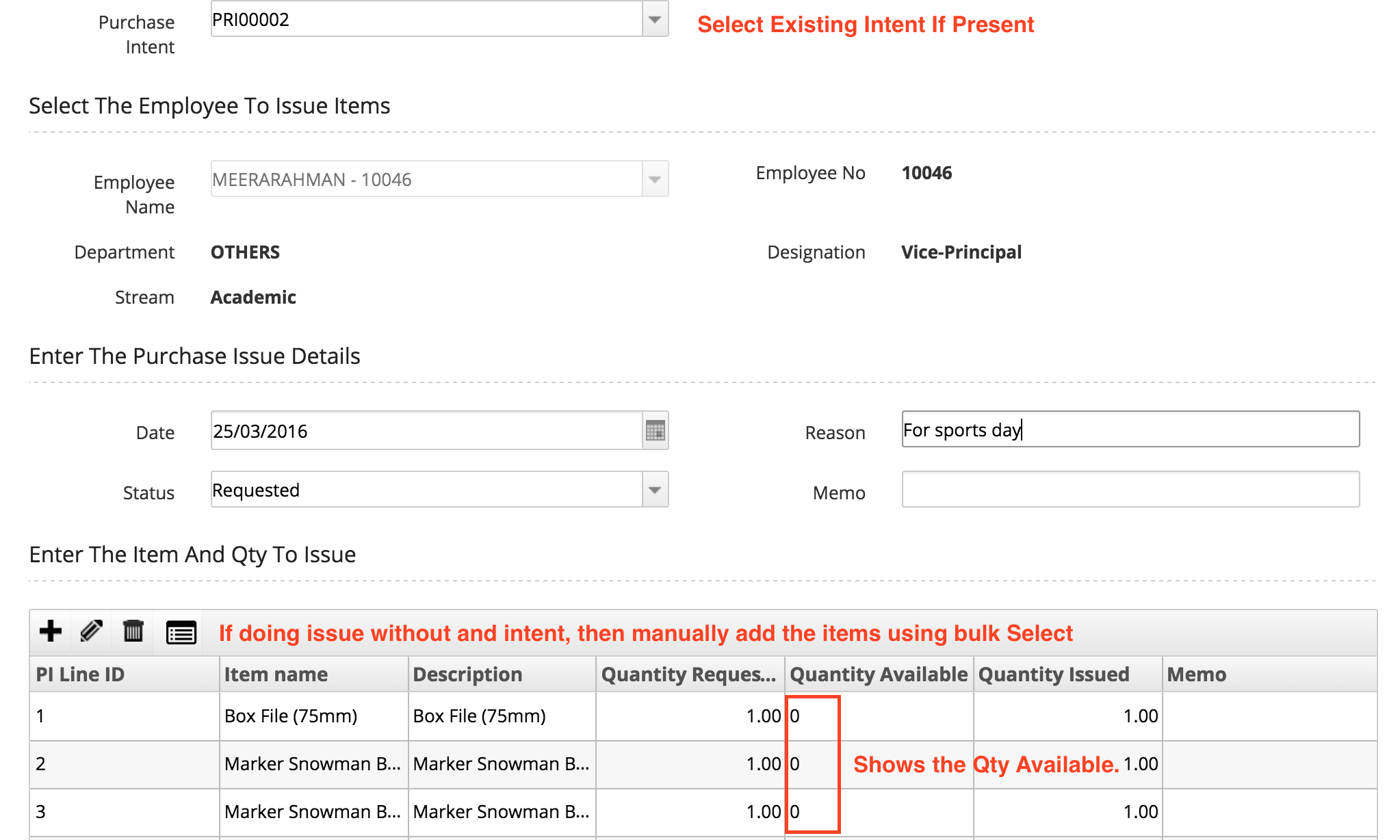
In case you do not have enough quantity, you will not be able to issue the item. In such cases you will have to do Purchase Order -> Item Receipts to bring the item in stock and then do the issue.
Also as mentioned before, every time a Purchase Issue is done, the item is moved out of stock.
To check the current stock in hand, and stock movement, you can check the inventory reports inside the Inventory menu. These reports will show movement for Inventory and Consumable items.