
To add employees to a particular shift, Go to Time & Attendance >> Employee Shift Management
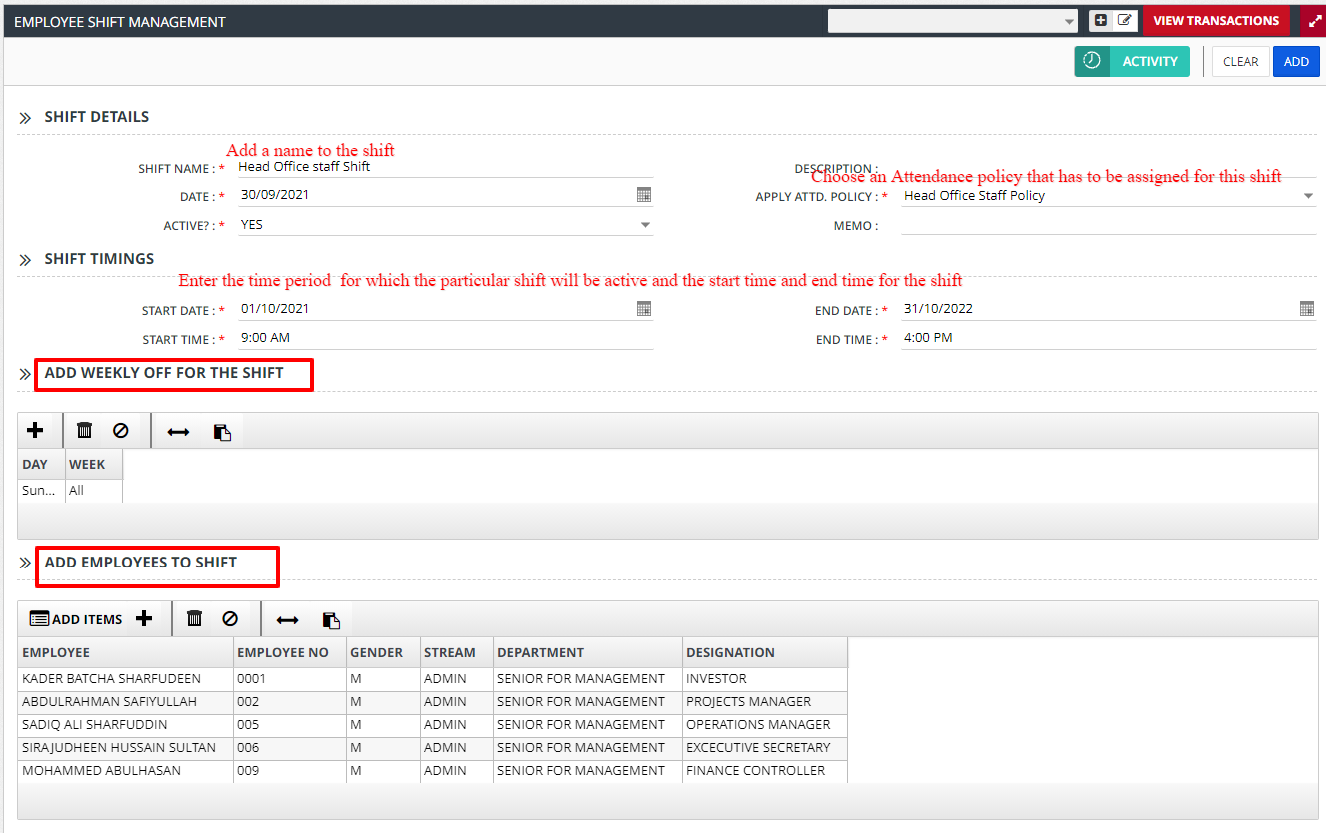
Enter all the required details and the employees to the shift and click on ADD to create the shift with the employees added to the shift.
Note:
1. If Start Date & End Date are not entered correctly, then employee will not appear in respective month attendance.