
To create or add a new Tax, follow steps as below:
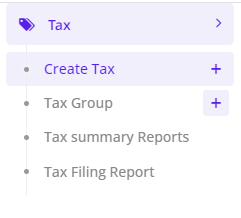
- Go to Tax -> Create Tax -> Create New.
- Enter a Tax Name and Code
- Enter the relevant Rate in %.
- Link the appropriate Input Tax Account (Under Assets) and Output Tax Account (Under Liability)
- Click Save.
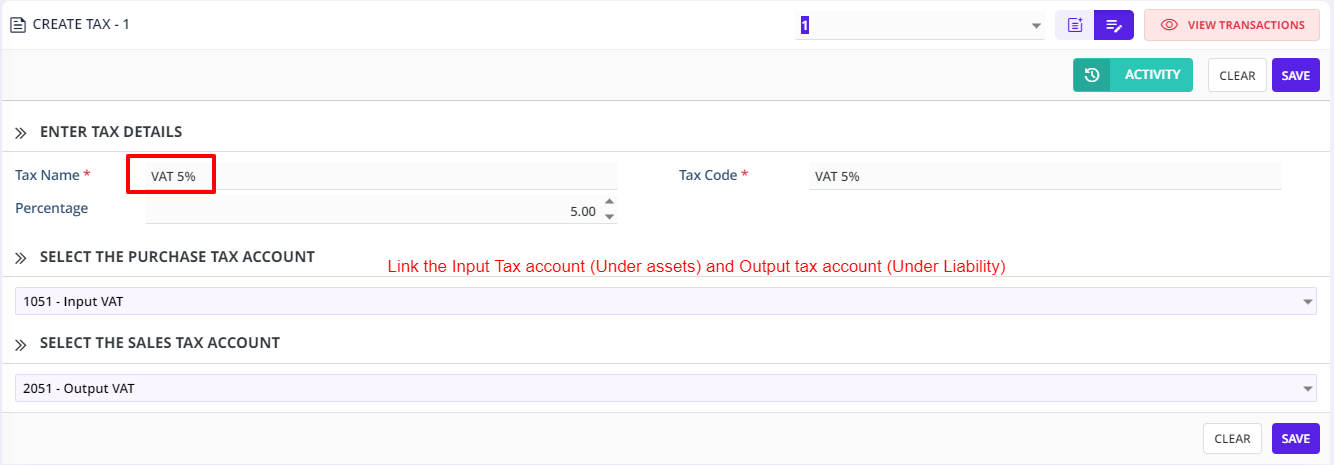
You can setup Tax Configuration for VAT 5%, 0%, Exempt tax rate whichever is applicable for you.
**++Input and Output Tax++ **
Output Tax
Output VAT is the value added tax you charge on your own sales of goods and services both to other businesses and to ordinary consumers. When your business is registered for VAT, you need to add VAT to each VAT-able item on each of your sales invoices.
VAT on sales between businesses must be specified in the invoices, notes, bills and receipts issued by the seller, as well as contract notes and settlement notes.
Input Tax
Input VAT is the value added tax added to the price when you purchase goods or services that are liable to VAT. If the person or businesses that is buying is registered for VAT they can deduct the amount of VAT paid from his/her settlement with the tax authorities.