
Employee Status setup is the module to define various status an employee that could be during the tenure of his/her job.
To define an Employee status go to Core HR->Employee status set up->Create New

The employee status created in this form and which are active will be listed in Employee master form under 'Payroll status' field.
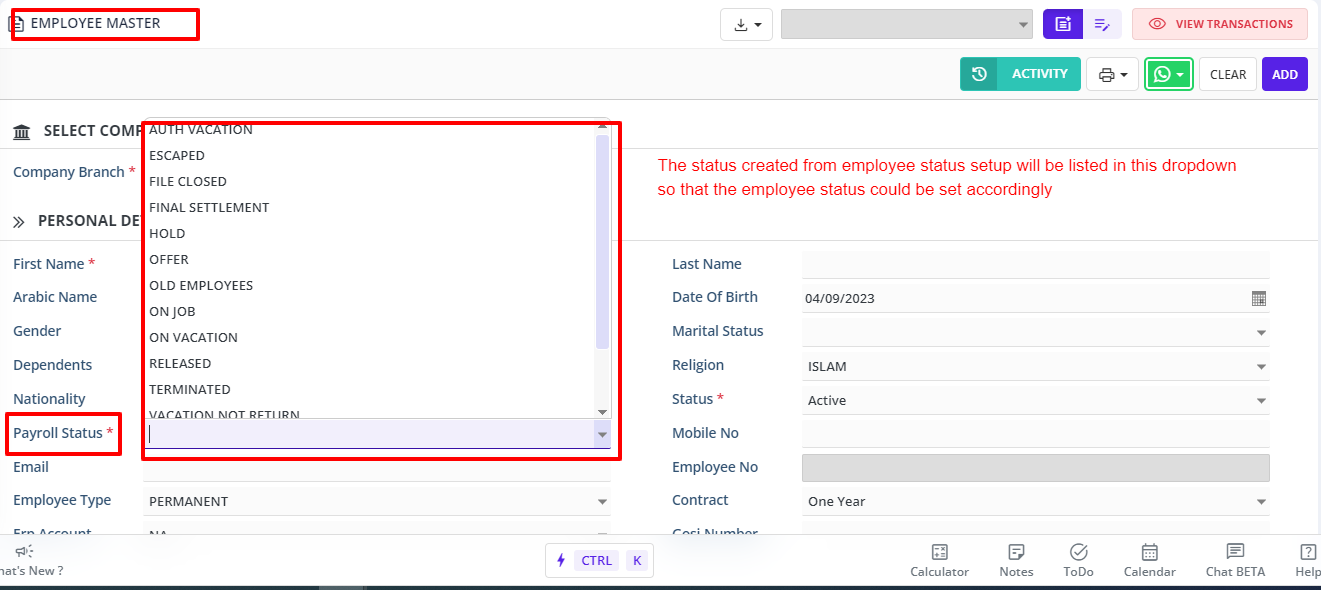
Why do we need to define Payroll Status?
An employee will be officially in the company for which the STATUS in Employee Master screen or Form is set as ACTIVE and should never be changed as its SYSTEM CONTROLLED. Changing STATUS = Other than ACTIVE, will have serious implications on Accruals of employee data. For this, another field PAYROLL STATUS is created to either hold the salary of an employee if they are in VACATION, ESCAPED, HOLD, etc any reason.
Therefore, PAYROLL STATUS field is linked to STATUS field of EMPLOYEE STATUS SETUP MODULE Again this STATUS field in is linked to ACTUAL STATUS as shown in above 1st screen shot.
If ACTUAL STATUS = ACTIVE, then only Employee name will appear in Timesheet or Payroll