
What is Issue Return?
Issue Return is used for returning the issued items. Item can be returned to different locations. After returning items, the quantity in stock will be updated.
Why Issue Return is Required?
Issue returns are needed when
- there is an excess of quantity of what requested in Purchase Issue
- there is any fault in the goods that are delivered
- the items that are requested mismatched while delivering.
Prerequisites
Before creating an Issue Return it is mandatory to do a Purchase Issue for the items that are requested before.
Before Return
The below screenshot explains about the Quantity in stock, Location for the item in Purchase Issue before Purchase Issue Return is done.
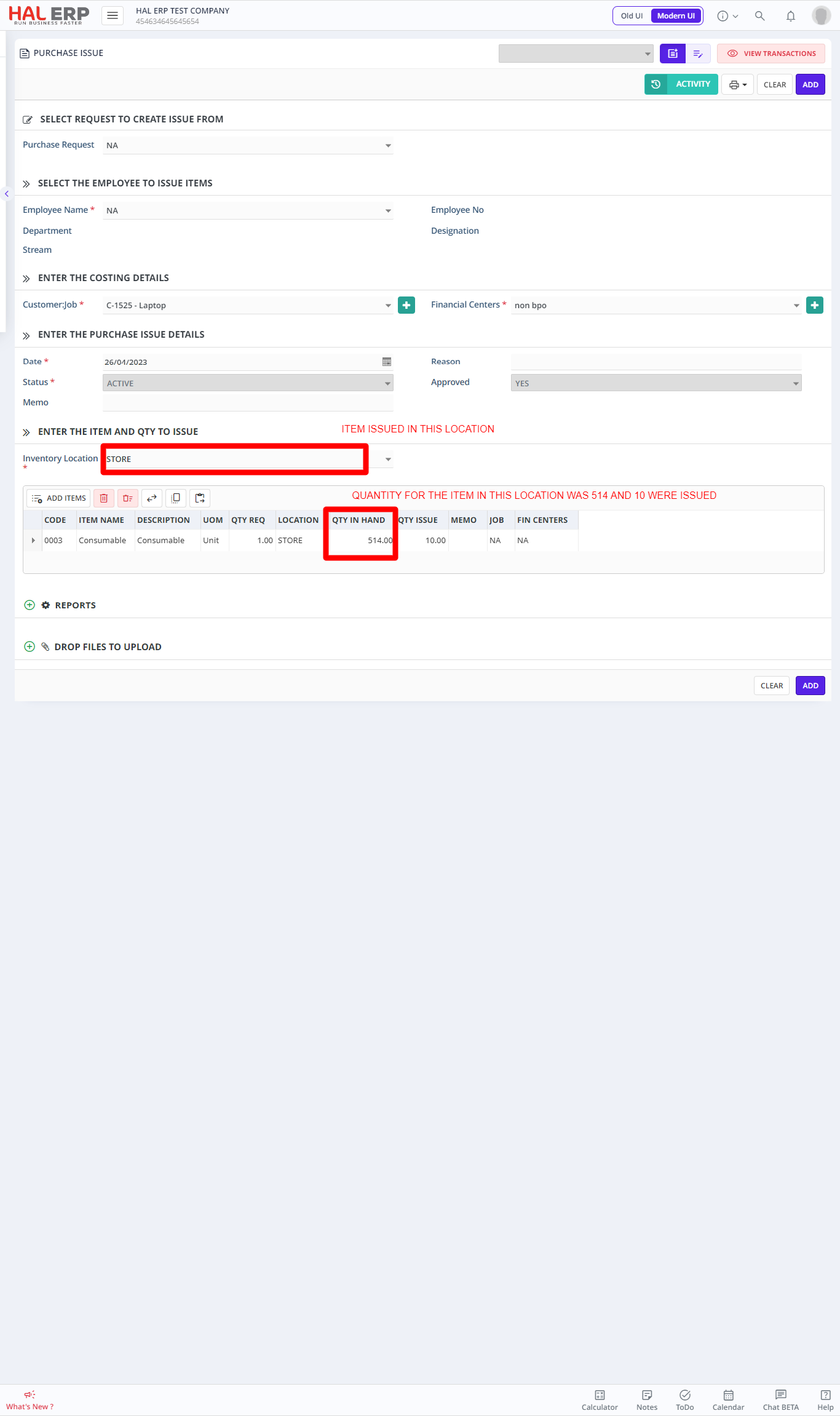
In the example shown above the Qty in Hand for the item is 51 and Quantity Issued is 5.
At a later time if the same item is selected with same location, the Qty in Hand would be 46 as shown below.
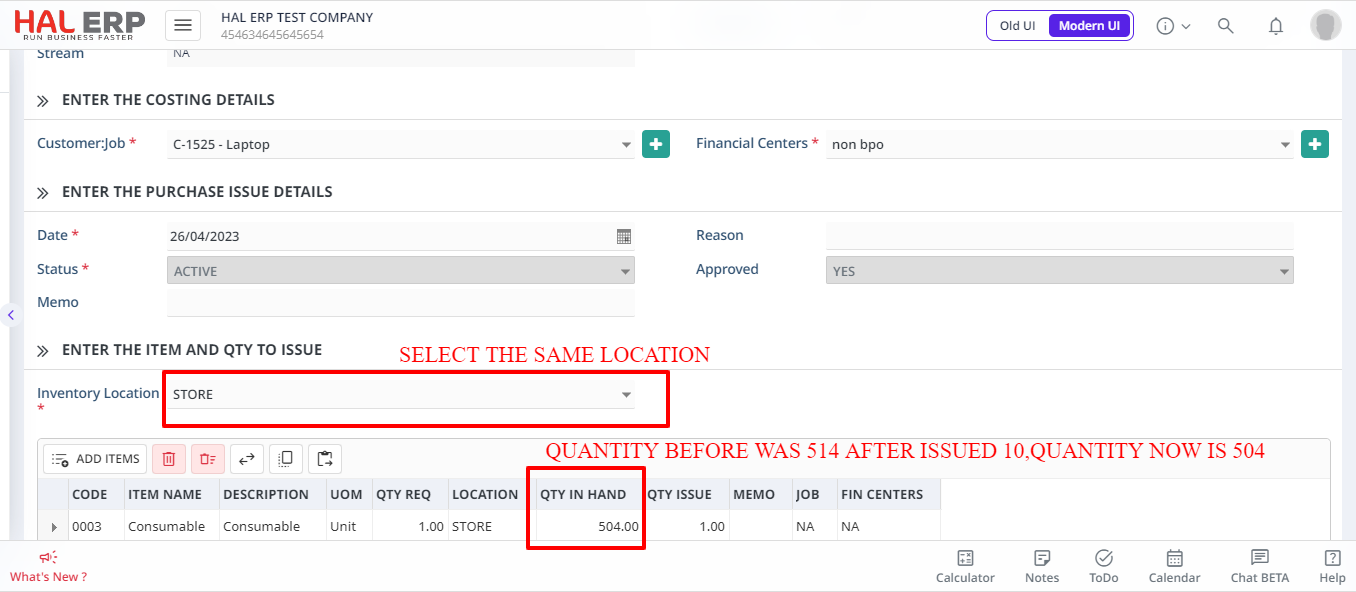
How to create a Purchase Issue Return?
- To create a Purchase Issue Return, Select Purchase Issue Returns-> Create New-> Select Purchase Issue to which ISSUE RETURN is required.
- Click Add on button after the entering the correct details in the form.
Items can be returned to the desired location by selecting the Return To drop down and the number of quantity to be returned can also be entered in the item level as shown below.
NOTE
Quantity to return cannot be more than the Quantity issued.
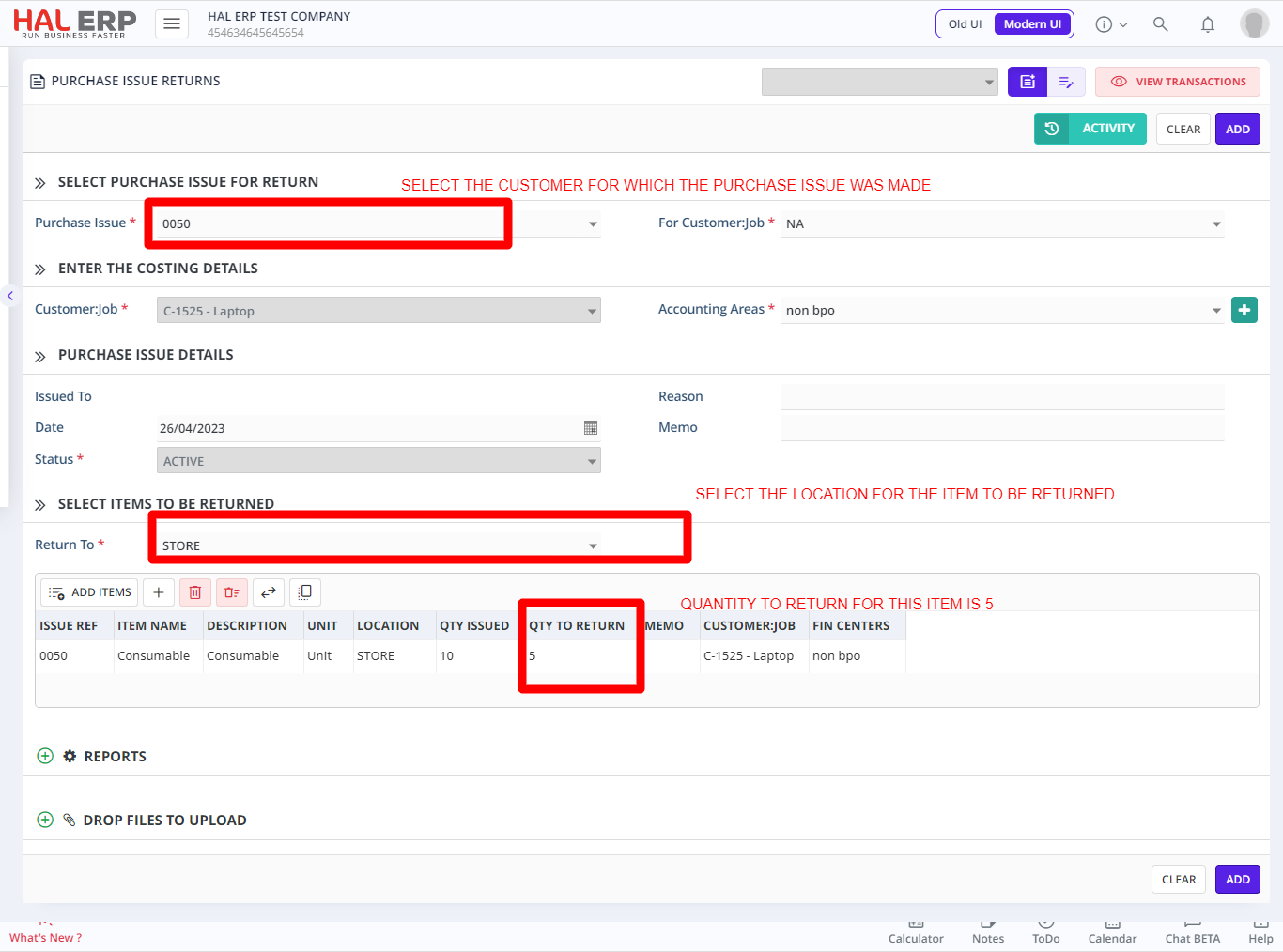
When the Purchase Issue Return form is added or created, the Qty in Hand of this item in the selected location will be increased and this can be seen in Purchase Issue form.
In the example we are discussing, after returning 1 no. of the item, Qty in Hand for this item in Purchase Issue will be 47.