Table of Contents
1. Introduction
**2.****Importing Items to Load Stock/Opening Balance via Copy Paste from Excel **3. Adding Items to Load Stock/Opening Balance using grid 1. Introduction
The Inventory Adjustment screen is used to load stock into inventory or to make adjustments to the existing stock levels within a inventory.
How to create inventory adjustment
Go to Inventory -> Inventory Adjustment -> Create New
Enter Inventory Adjustment Details
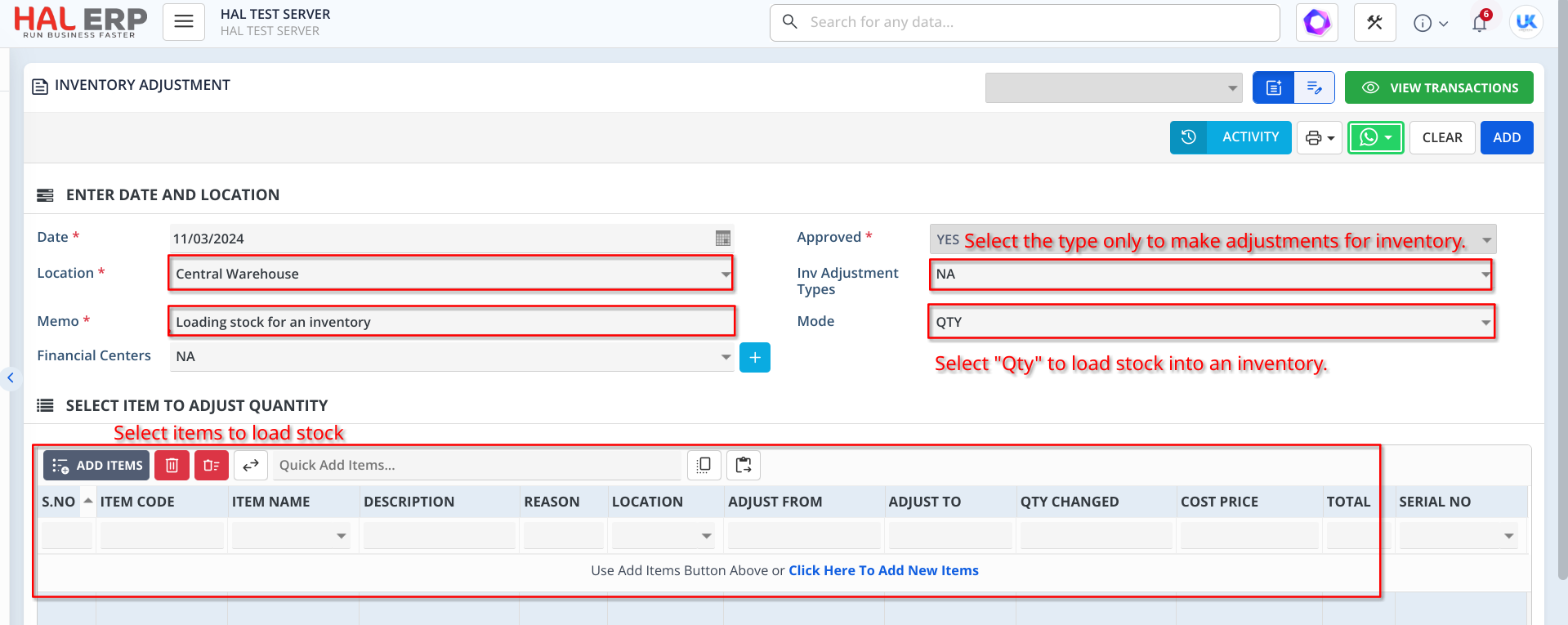
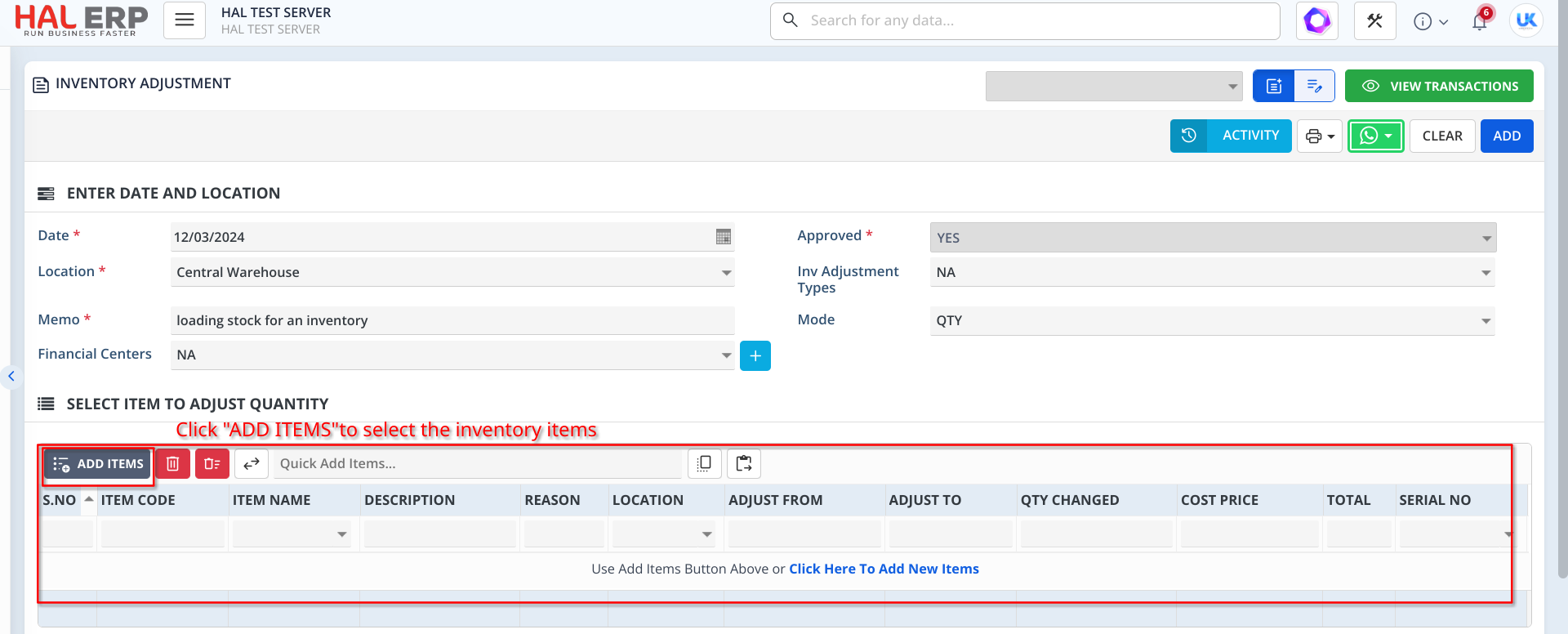
In this form, you have two options for adding inventory to load stock/opening balance. You can either click the "ADD ITEMS" button to select items from the item list or copy the items from Excel and import them.
**2. Importing Items to Load Stock/Opening Balance via Copy Paste from Excel
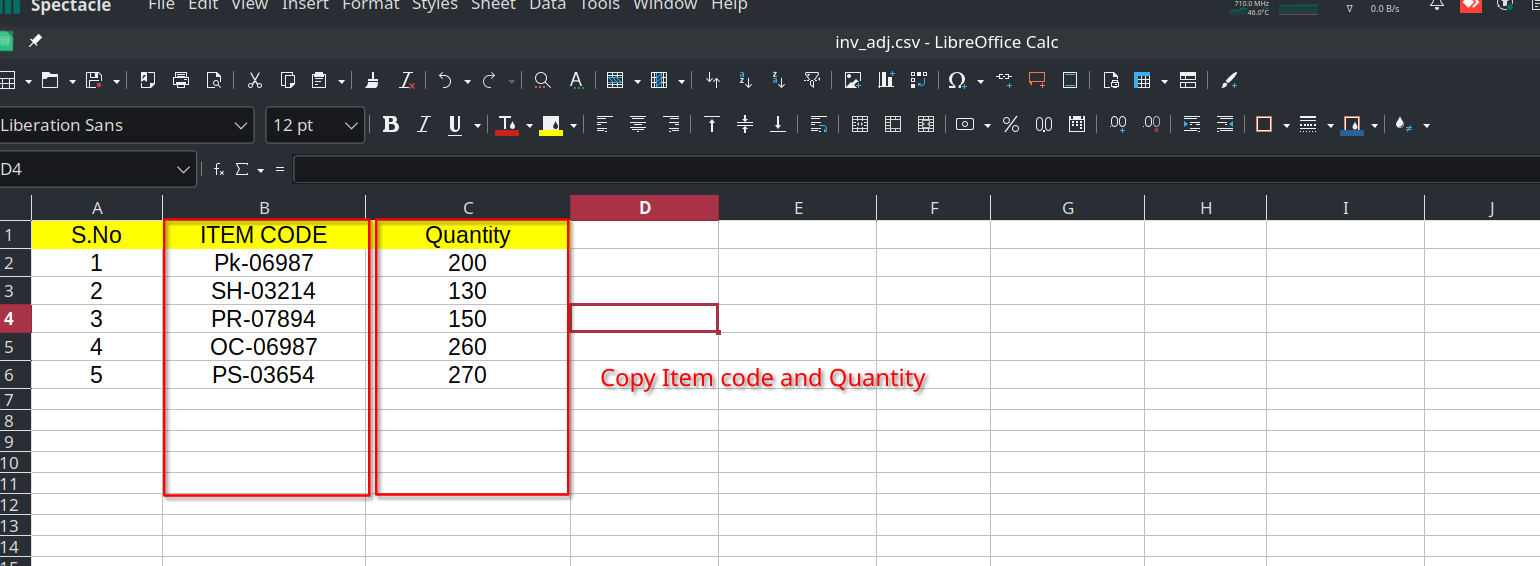
Copy the "Item Code" and "Quantity" column from the existing file, then paste them in the respective place.
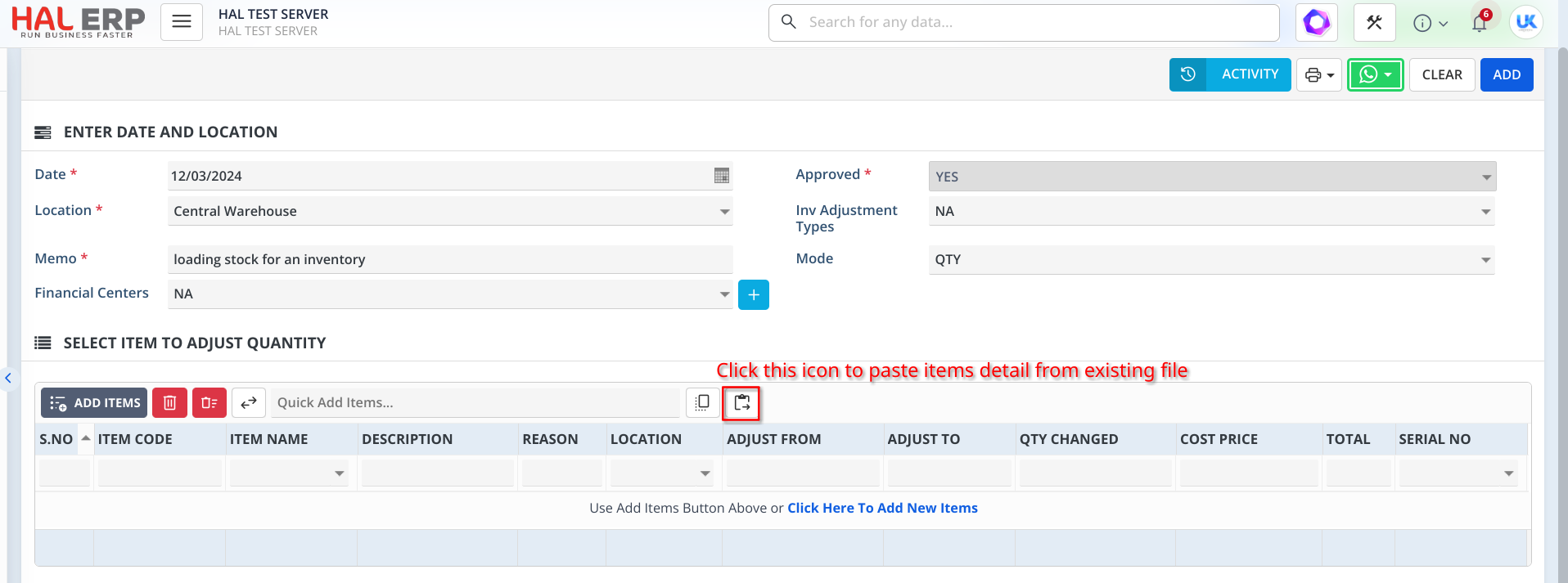
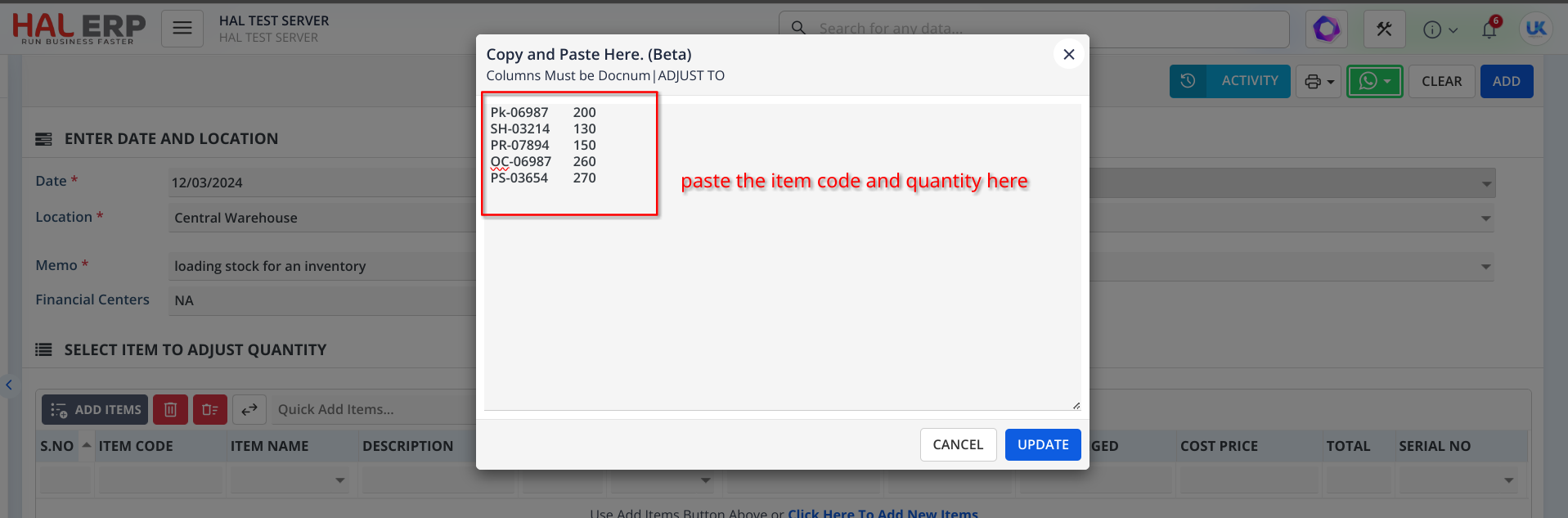
Once you click the "Paste From Excel and Import" icon mentioned below, a popup will open.
Copy the item's detail from the Excel file and paste them into the popup. Then, click 'UPDATE' to add the items to the grid.
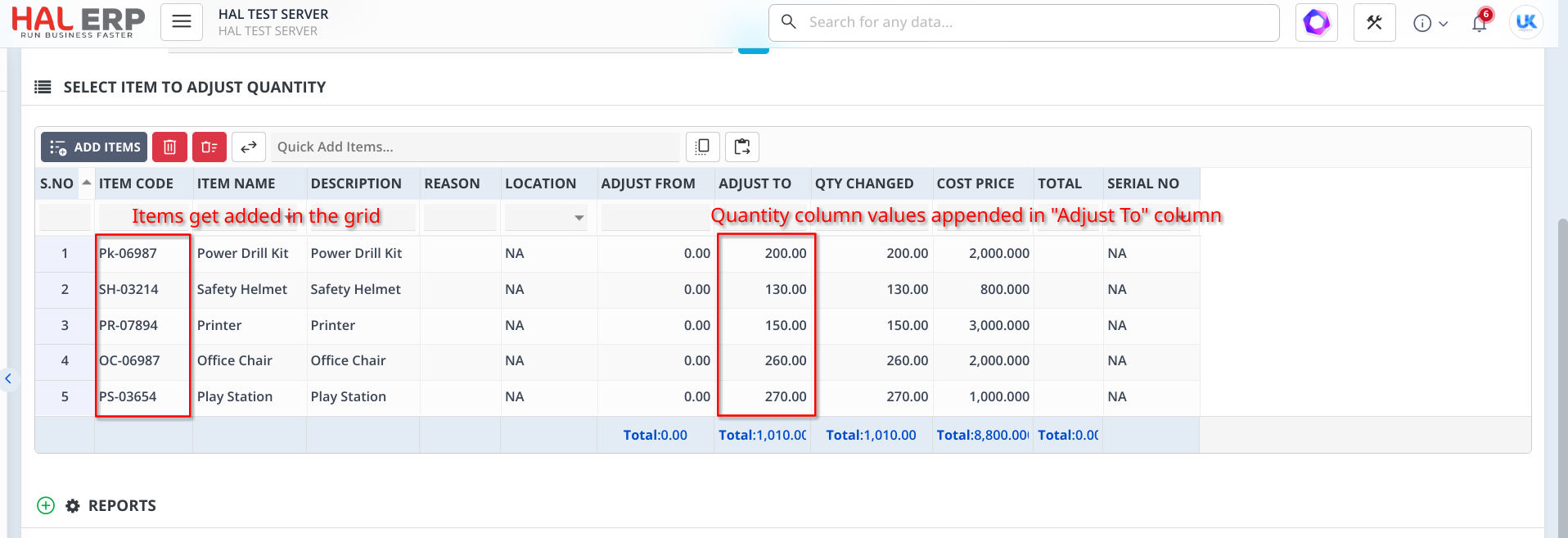
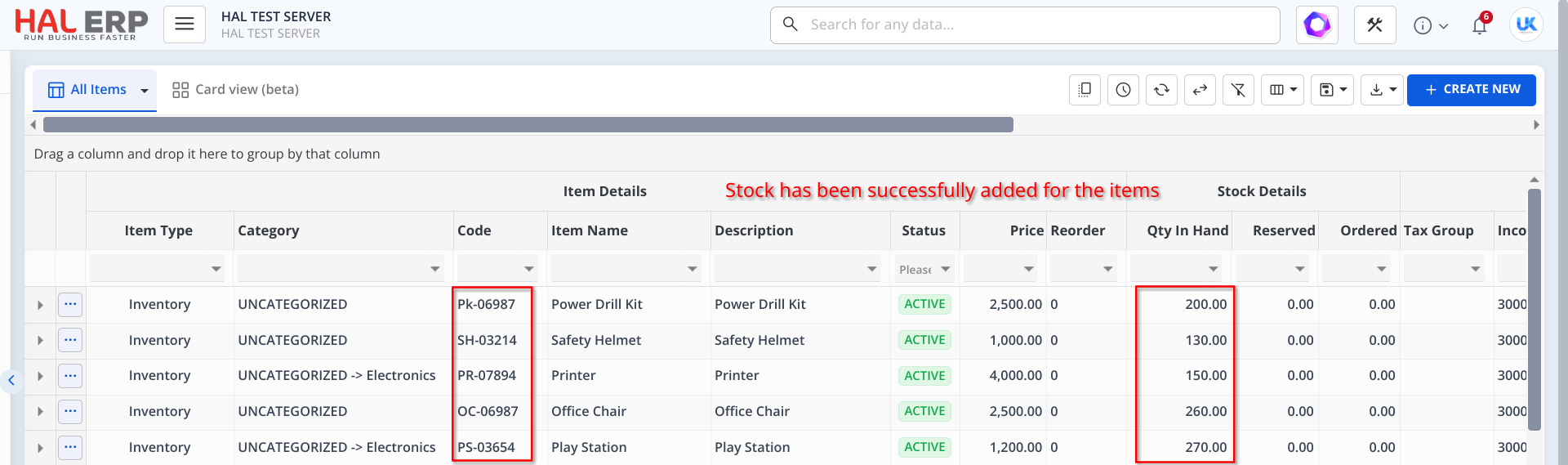
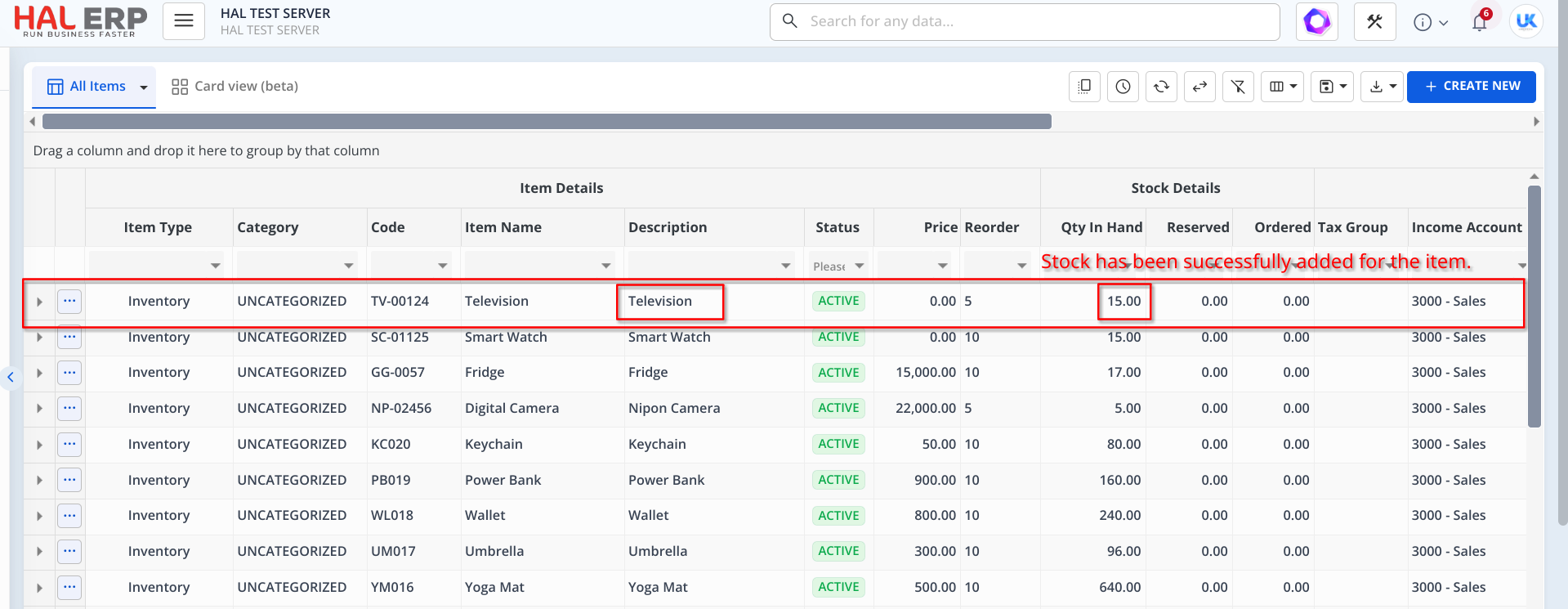
Click "ADD", the stock will be successfully added for the items. We can view the stock of an item in Item List screen.
3. Adding Items to Load Stock/Opening Balance using grid
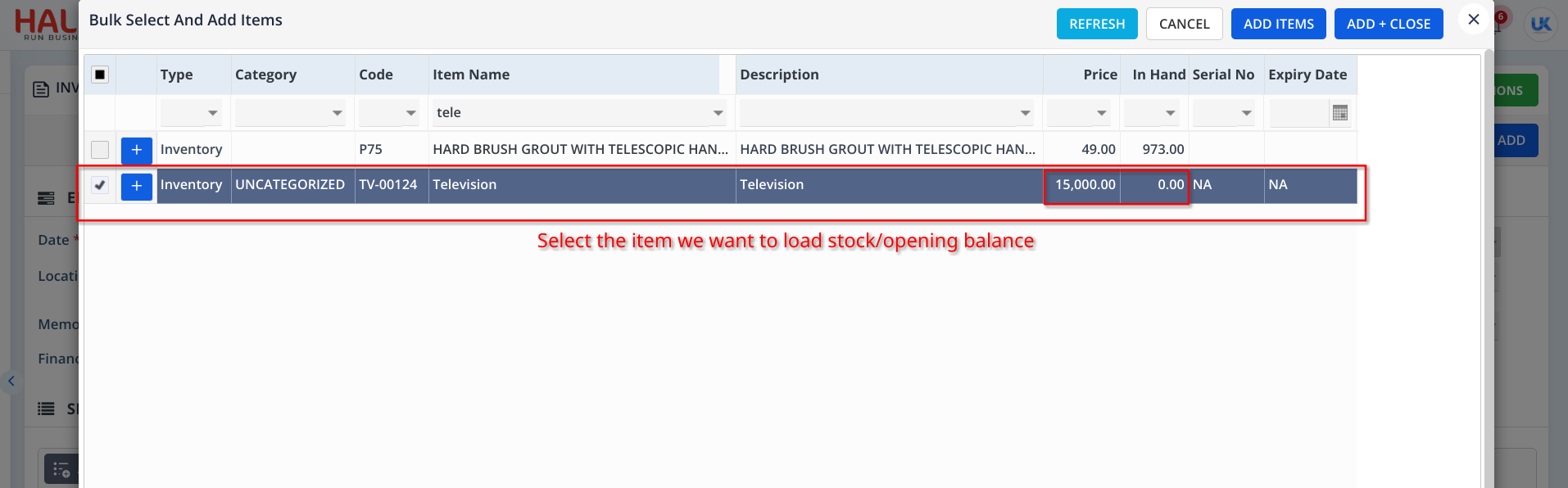
When you click "Add Items" in the grid, it displays a list of inventory items that have already been added. Choose the item we want for loading opening balance/ stock.
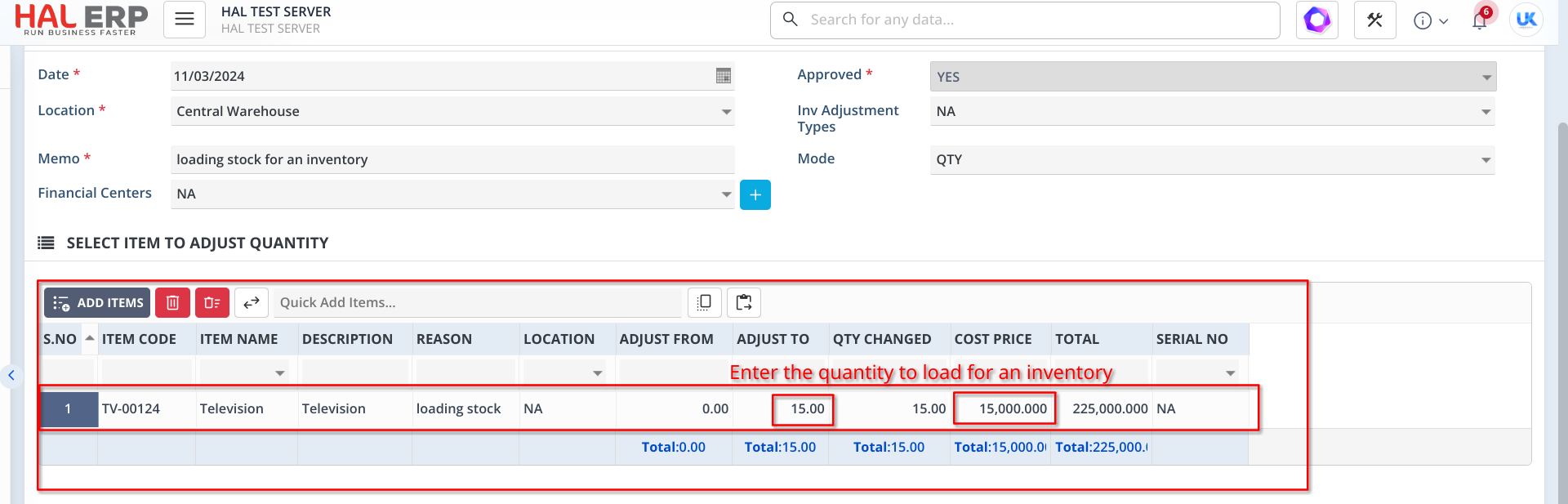
Once the item is added to the grid, enter the reason for loading stock of an inventory and input the value in the "Adjust To" column in the grid to load the opening balance/stock for the inventory item.
Note:
- In the Cost Price Column, Enter the Cost/Unit Price Per Item, Not for the Whole Quantity.
- This Cost price will be used at the time of Selling.
Once the details are entered, click ADD. The stock has been successfully added for the items.
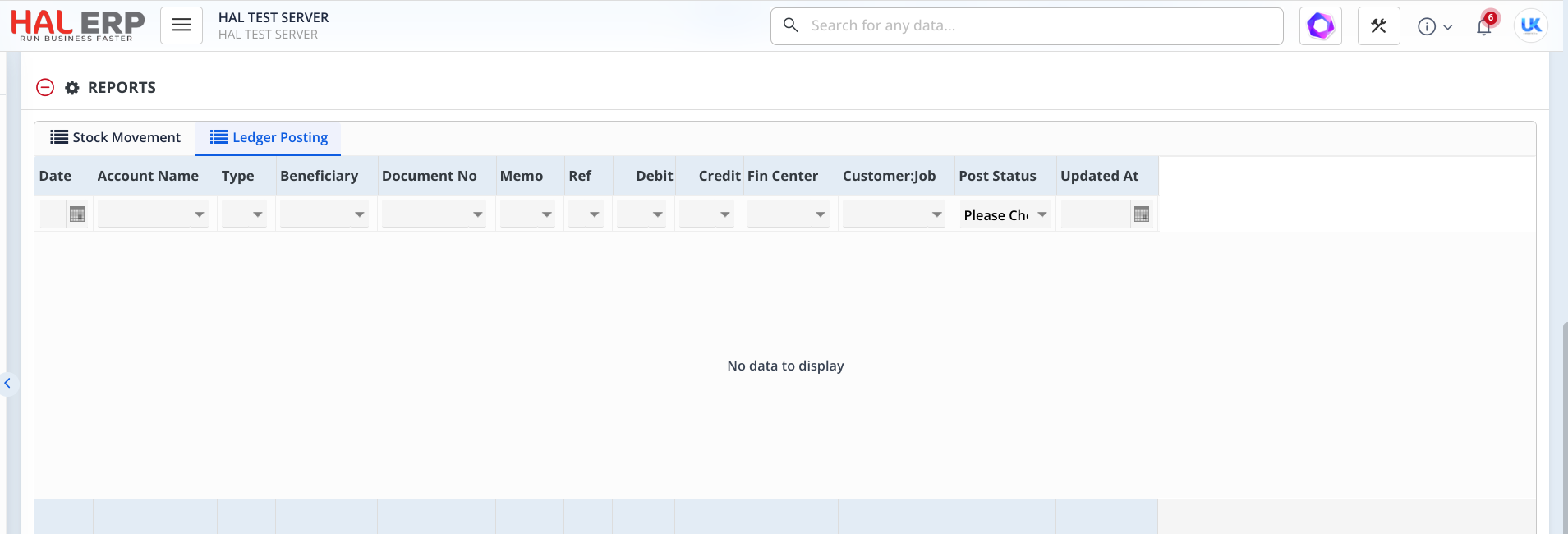
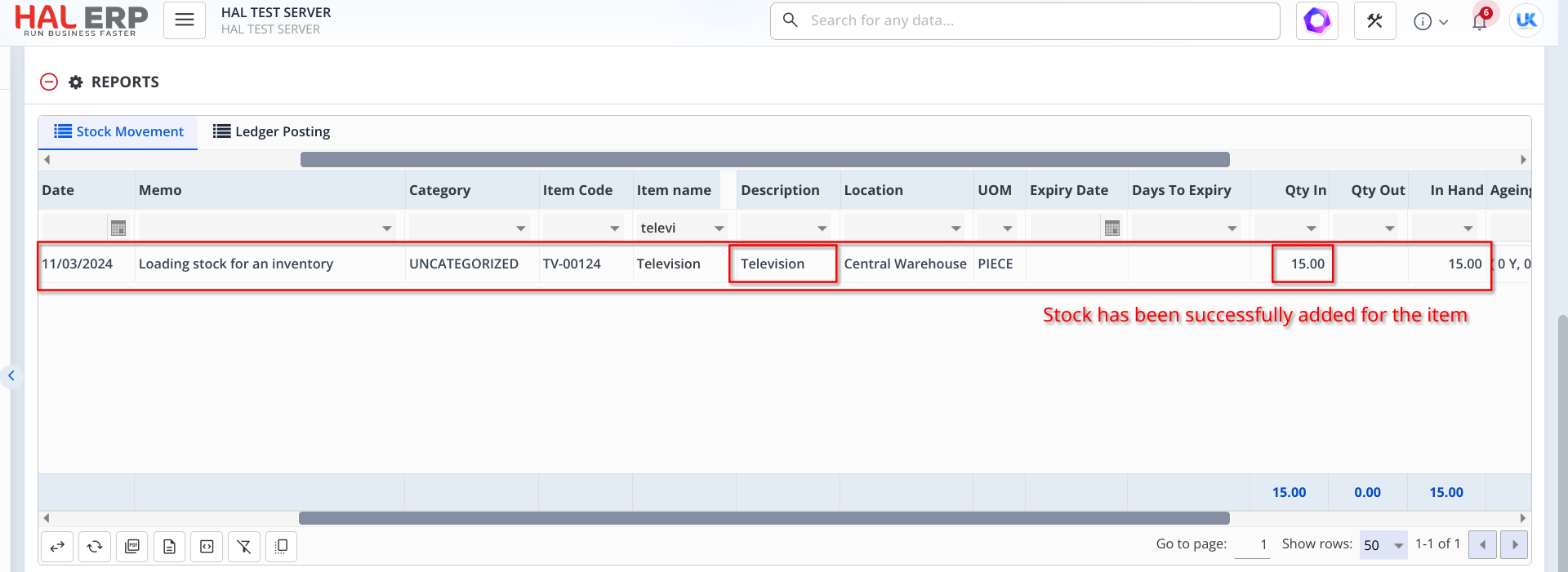
In the Stock Movement tab of the REPORTS section, you can view the item stock movements.
In the ledger posting tab of the reports section , No ledger posting occurred for loading the opening balance of an inventory.