
Student Book Issue
This screen is used to issue books to the students and collect the corresponding book fee. This screen makes many tasks like giving which books to which student and collecting how much money for issued books easy
Pre- Requisites
To issue books to the students using this screen, Book Kit has to be assigned for every class as a pre-requisite.
Creating Student Book Issue
To create a Student Book Issue,
Go to Book Sales ---> Student Book Issue ---> Create New
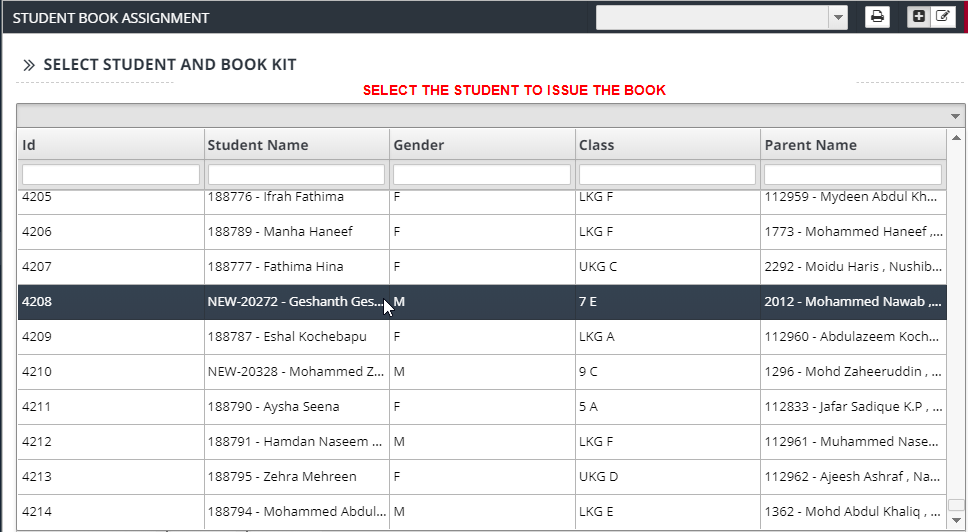
- Select the student to issue the books.
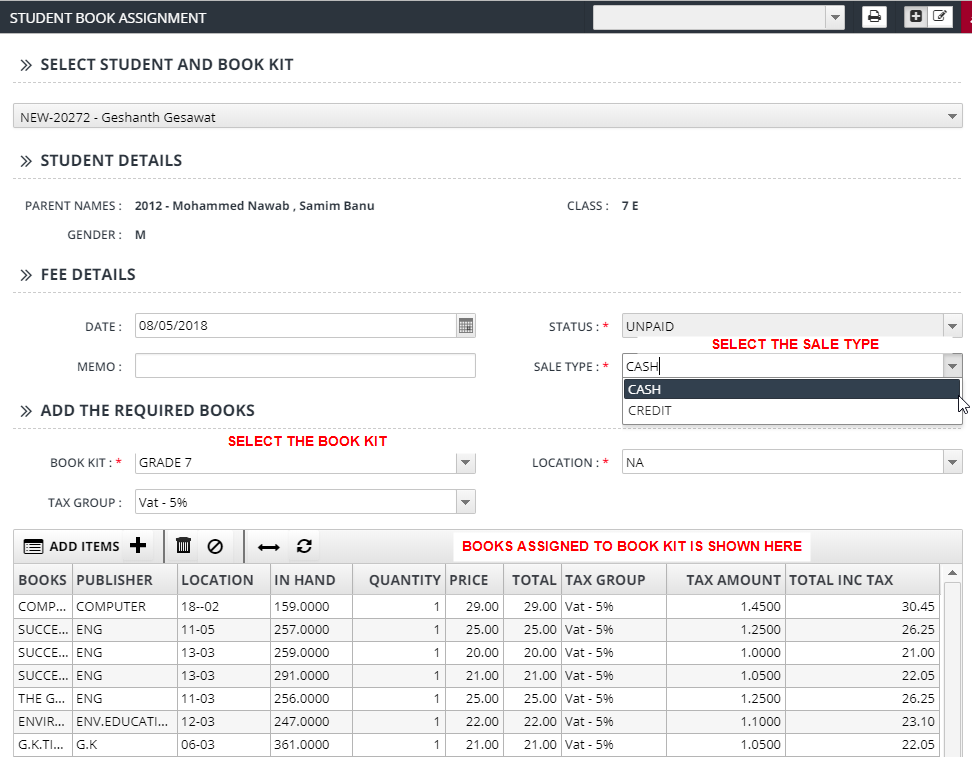
- Student Details like Parent Names, Class and Gender will be displayed.
- The Book Kit assigned for the class of the selected student will also displayed.
- Add or remove books from the list of books if needed.
- Select the Payment method and enter other details of the payment
Click on Add button to issue the books for the selected students.