What is the Balance Sheet?
The balance sheet is one of the three fundamental financial statements. These statements are key to both financial modeling and accounting. The balance sheet displays the company’s total assets, and how these assets are financed, through either debt or equity.
The balance sheet is also related to the fundamental equation: Assets = Liabilities + Equity
As such, the balance sheet is divided into two sides. The left side of the balance sheet outlines all a company’s assets. On the right side, the balance sheet outlines the companies liabilities and equities. On either side, the main line items are generally classed by liquidity. More liquid accounts like Inventory, Cash and Trades Payables are placed before illiquid accounts such as Plant, Property and Equipment and Long Term Debt. The asset and liabilities are also separated by current asset/liabilities and long-term assets/liabilities.
The following is the example of a Simple Balance Sheet.
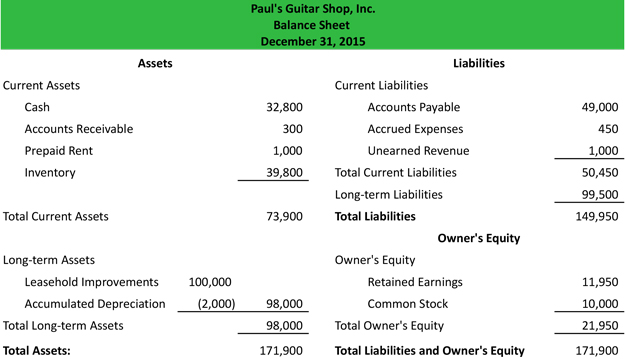
Now lets load the above balance sheet in **++HAL ERP++ **
We will load the above balance sheet in four parts
- Current Assets
- Long-term Assets
- Current Liabilities
- Owner's Equity
For loading Balance Sheet, Click Accounting -> Journal Entry, Click Create New
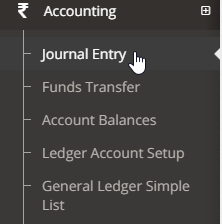
For loading Current Assets in Balance Sheet
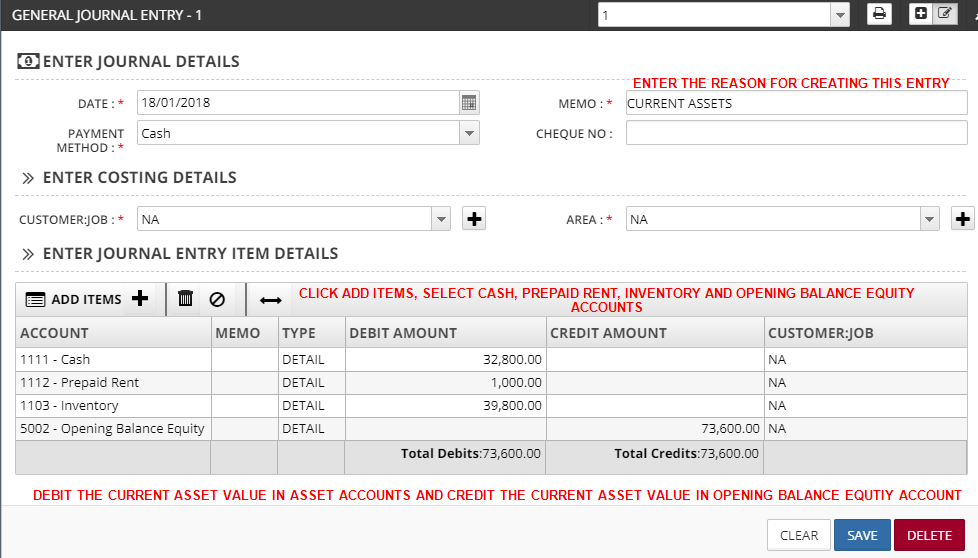
Once the details are entered, Click Save
For loading Long-term Assets in Balance Sheet
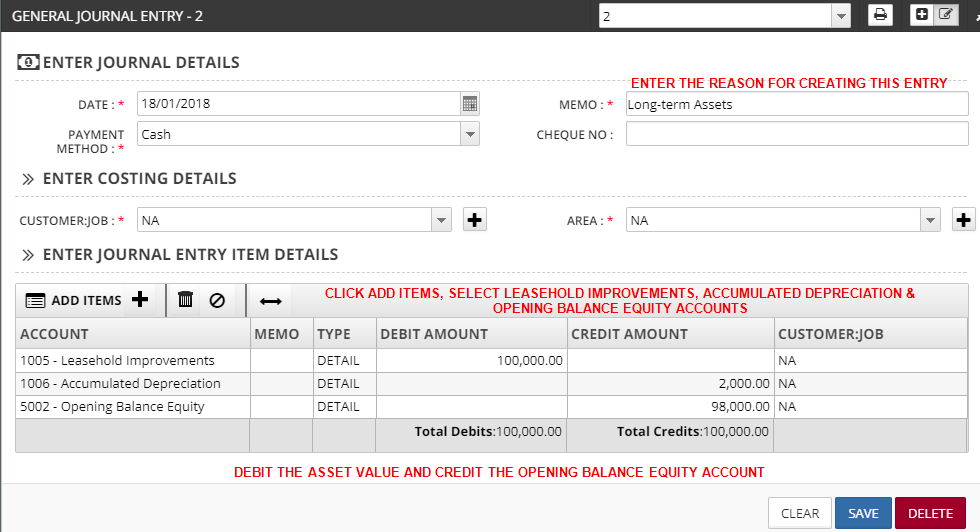
Once the details are entered, Click Save
For loading Current Liabilities in Balance Sheet
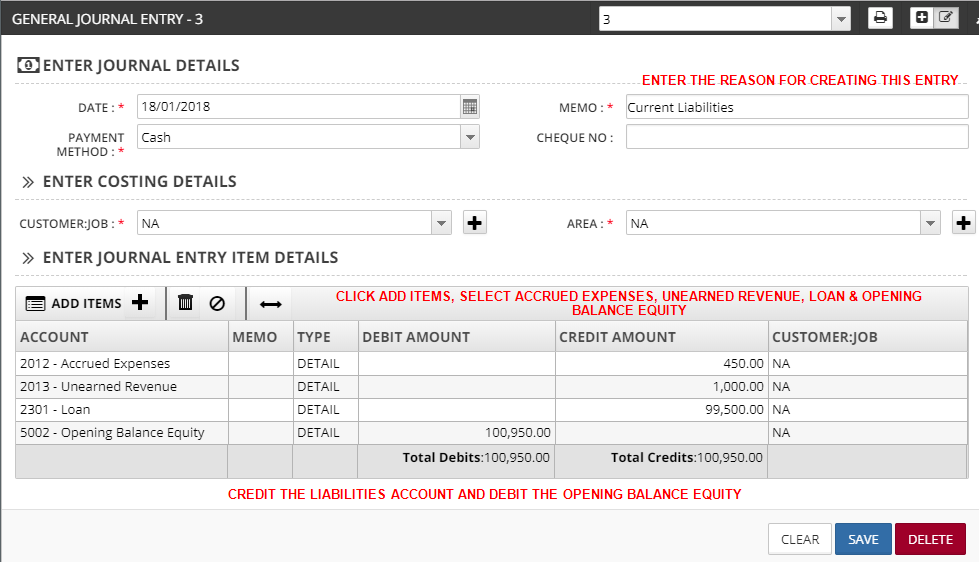
Once the details are entered, Click Save
For loading Owner's Equity in Balance Sheet
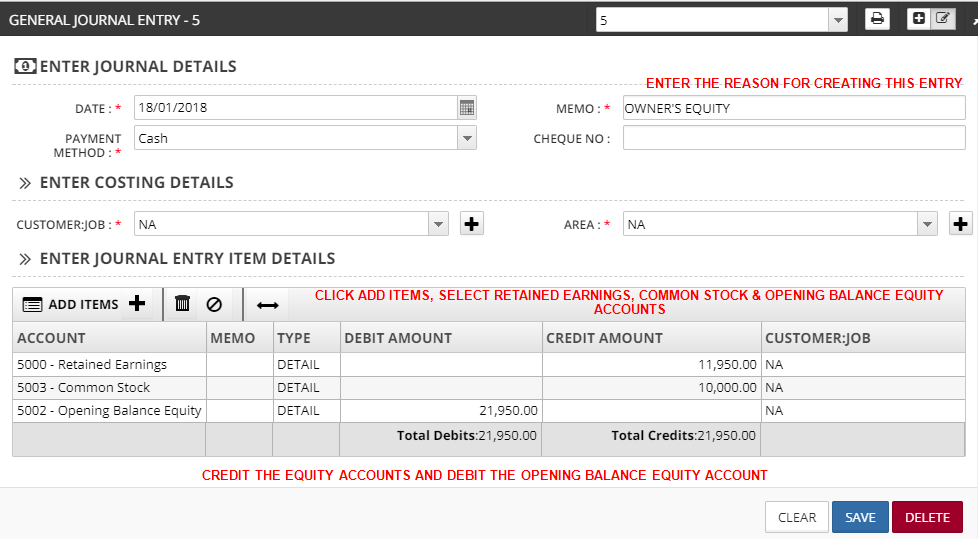
Once the details are entered, Click Save
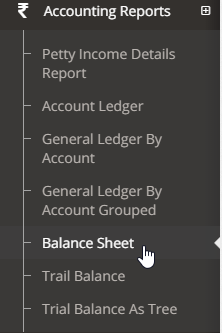
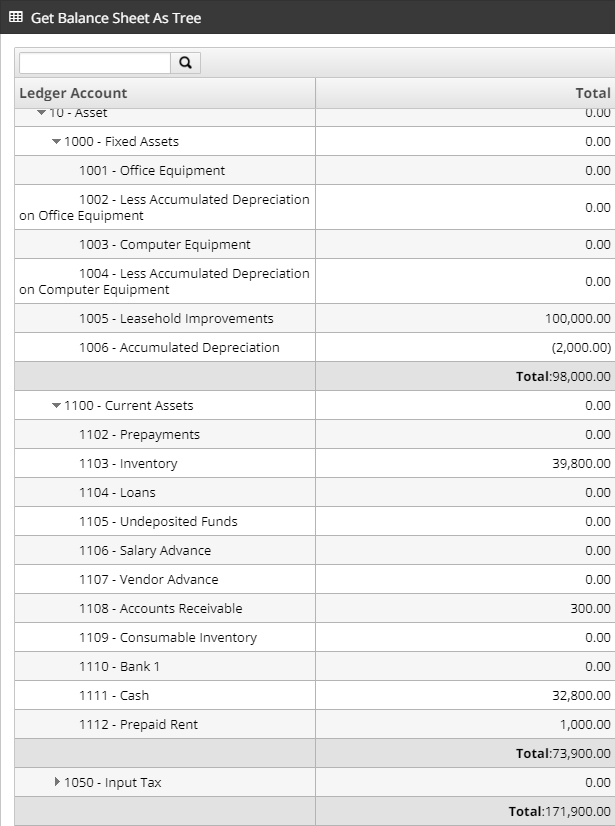
To View Balance Sheet, Click Accounting Reports -> Balance Sheet