
Leave Request Management
Leave Request Management screen allows the employee to request for leave and also it shows the employee leave history details.
To Create a Leave Request,
Select Leave Request Management from Time and Attendance Menu.
Click Create New
Enter the leave details as shown in the image below.
Enter the leave request duration by changing the date in Leave From and Leave To fields.
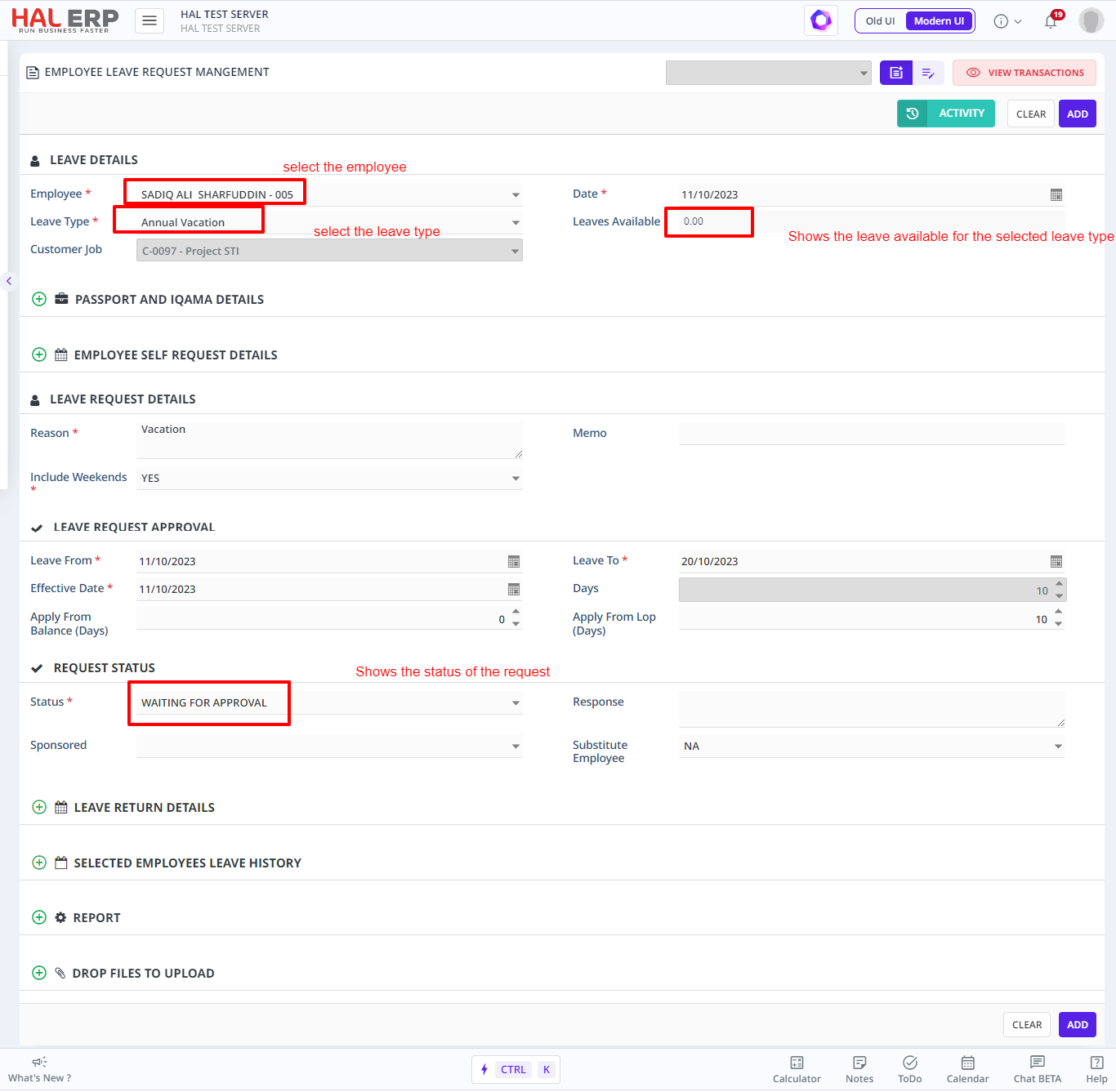
Click Add button to save changes .
Note:
- If there are no enough leave balance for the selected employee in the selected type, then the leave request will not be accepted.
- A leave request cannot be added, if there is already an applied leave request between the given Start Date and End Date.
- An approved leave request cannot be edited or deleted.
- When some part of the leave request applied or updated in attendance, the request cannot be edited.