
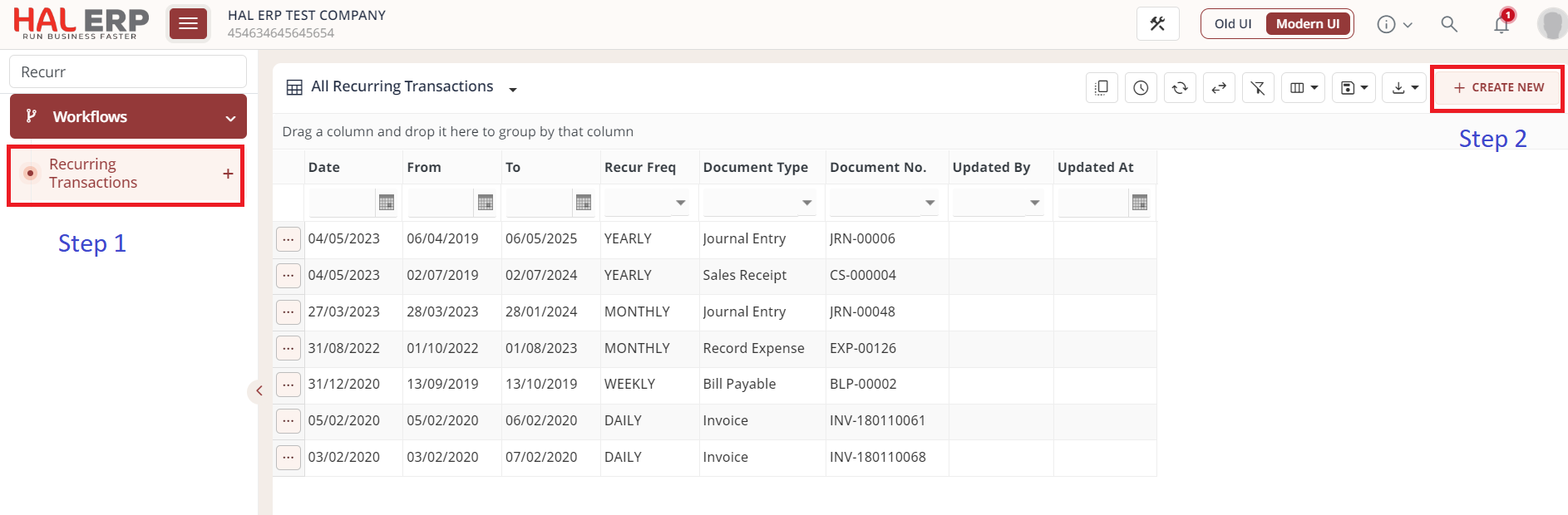
Step 1: Go to Menu -> Click on Recurring Transactions Module
Step 2: Click on Create New
Step 3:
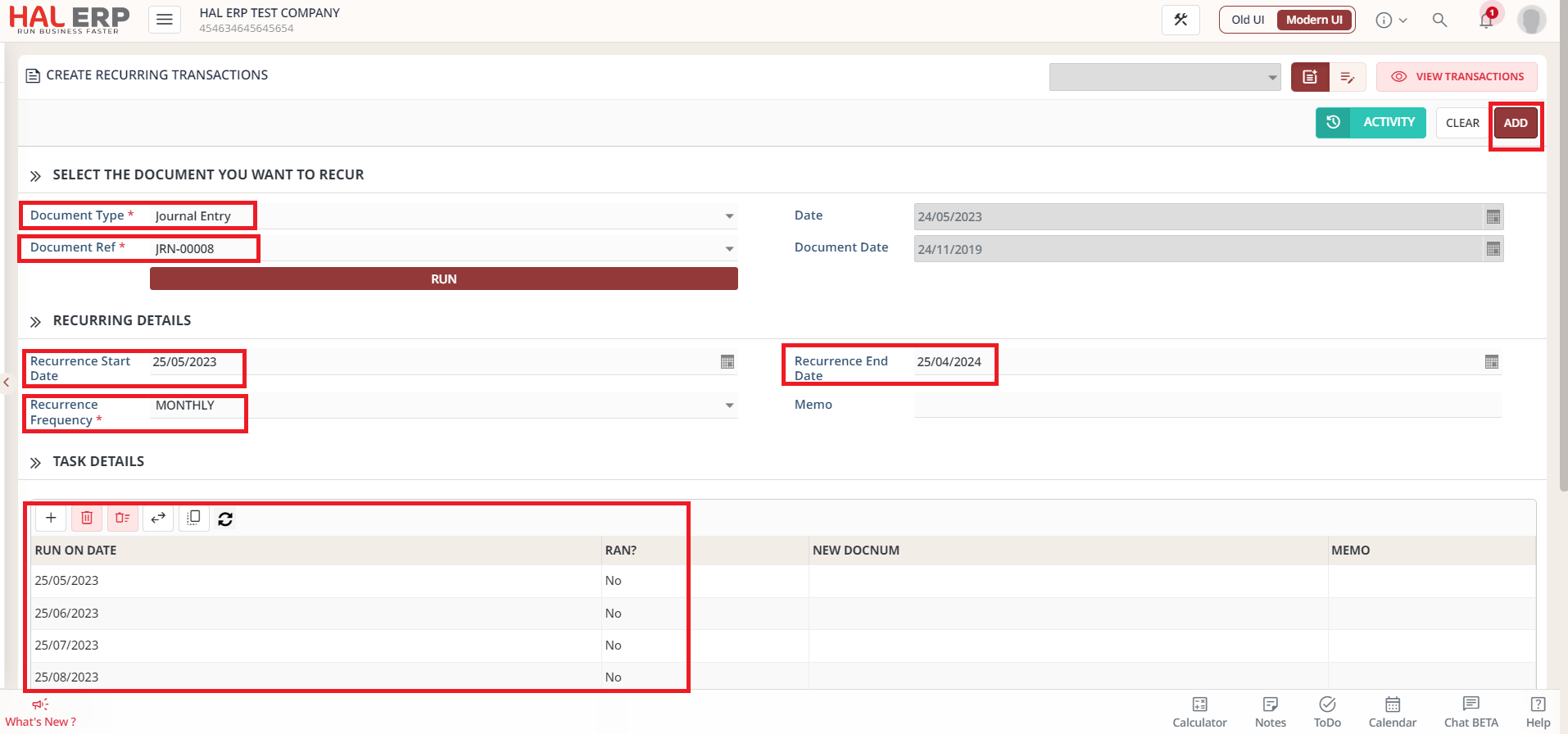
1. Select Document Type
2. Select the Document Ref which needs to be duplicated
Date : It will by default today's date.
Document Date: It's the date of creation of document which is selected in DOCUMENT REF.
3. Recurrence Start Date: It should always be future date i.e., it should always be one day more than DATE FIELD.
4. Recurrence End Date: It's the last date on which this recurring transaction should end.
5. Recurrent Frequency: It can be chose from dropdown i.e., Daily, Month, Quarterly, Yearly. Based on this selection, the table below it will get auto populated.
6. Task Details: It has list of RUN ON DATE for which the recurring module will create duplicate of DOCUMENT REF on those future dates.
If Ran = No, it means the recurring transaction is not created for that month.
If Ran = Yes, it means the recurring transaction is created for that month and it will NEW DOCNUM which means the newly created transaction number for this recurring transaction.
Memo: Any value entered in this field, will automatically come in "Memo" field of new resulting transaction.
Note: Recurring Transaction Start Date can't be Today or Back Dated.