
Pay Components Set Up
A Pay Structure is a collection of pay grades,levels or bands which links related jobs within a hierarchy or series.It provides a framework to implement of reward strategies and policies within an organisation.
How to create a new Pay Component?
Select Pay Components Setup from Human Resource Menu
Select Create New on Right Top of the Screen.
Enter Pay Component Details, Type and Properties in the appropriate fields of the fo
What is Component Type?
Based on the component that is created, associated type of the component should also be selected from the drop down.
Component types may be of
- Earnings
- Deductions
- Reimbursement
- Overtime
- Statutory
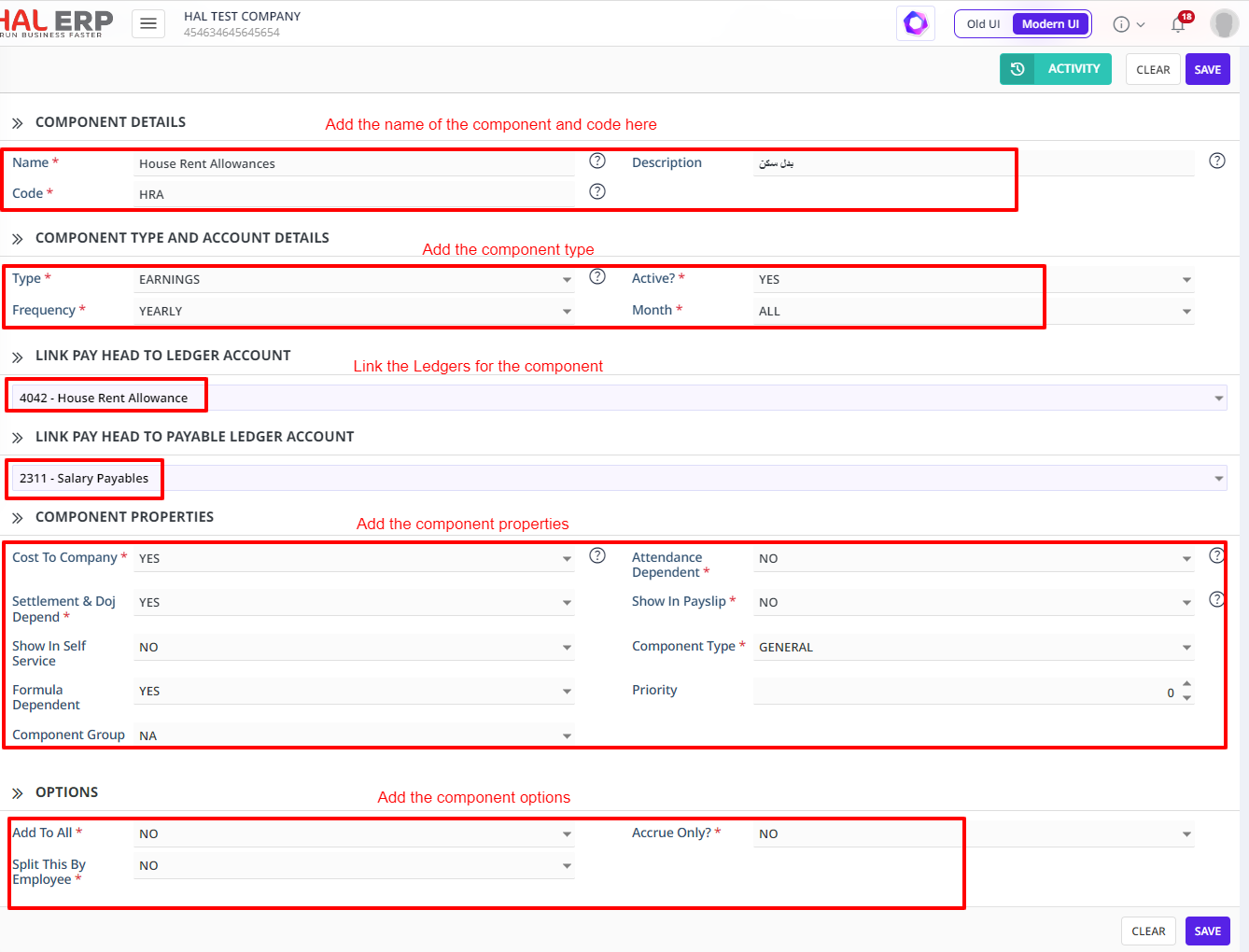
Clicking on Add Button will create a new Pay Component.
The pay components that are created here gets listed in Payroll Package creation in bulkSelect of components.
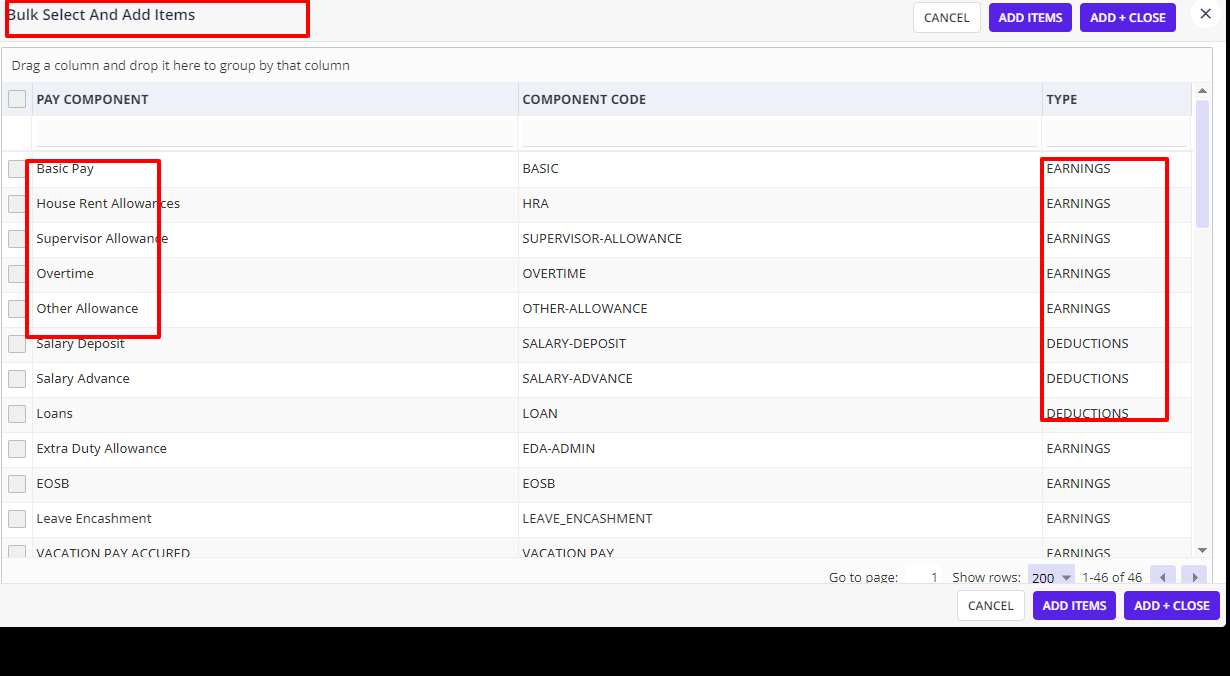
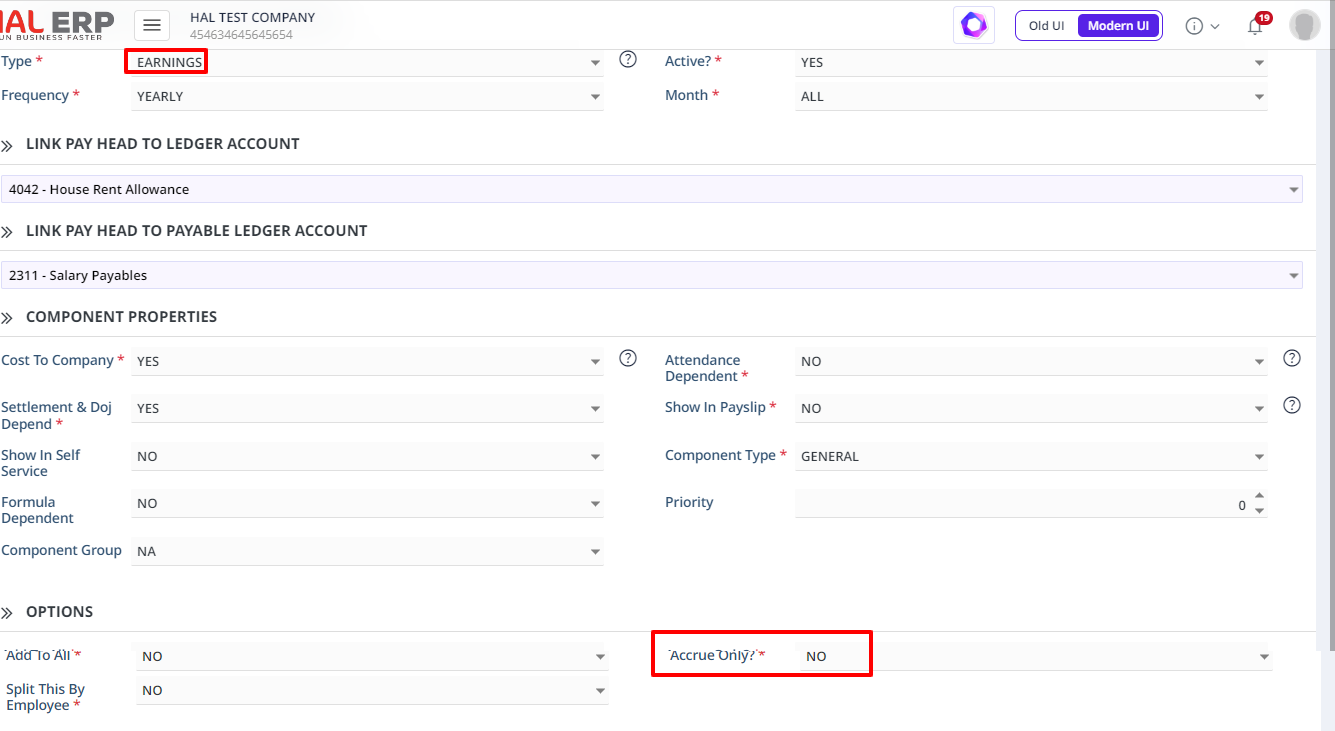
How does Pay Component Module work with linking to Finance Department:
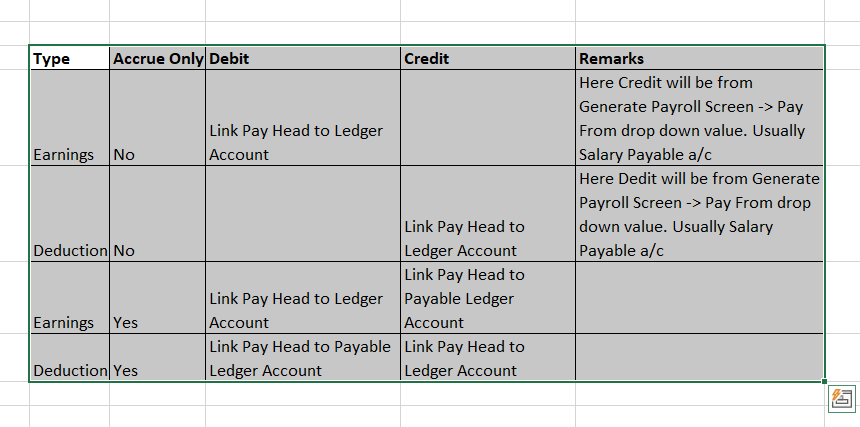
It works on 2 fields “Type” & “Accrue Only”, highlighted in Red colors.
Below is the explanation of it:
What are the changes can be done Pay Component Setup?
Before running any payroll using the respective pay component, anything in the pay component setup can be changed.
But after running the payroll, using respective pay component, all fields except mentioned below can be changed:
- Type
- Code
- Accrue Only