
Please find the steps below to create loans.
Goto
Fill the header details as per the image below.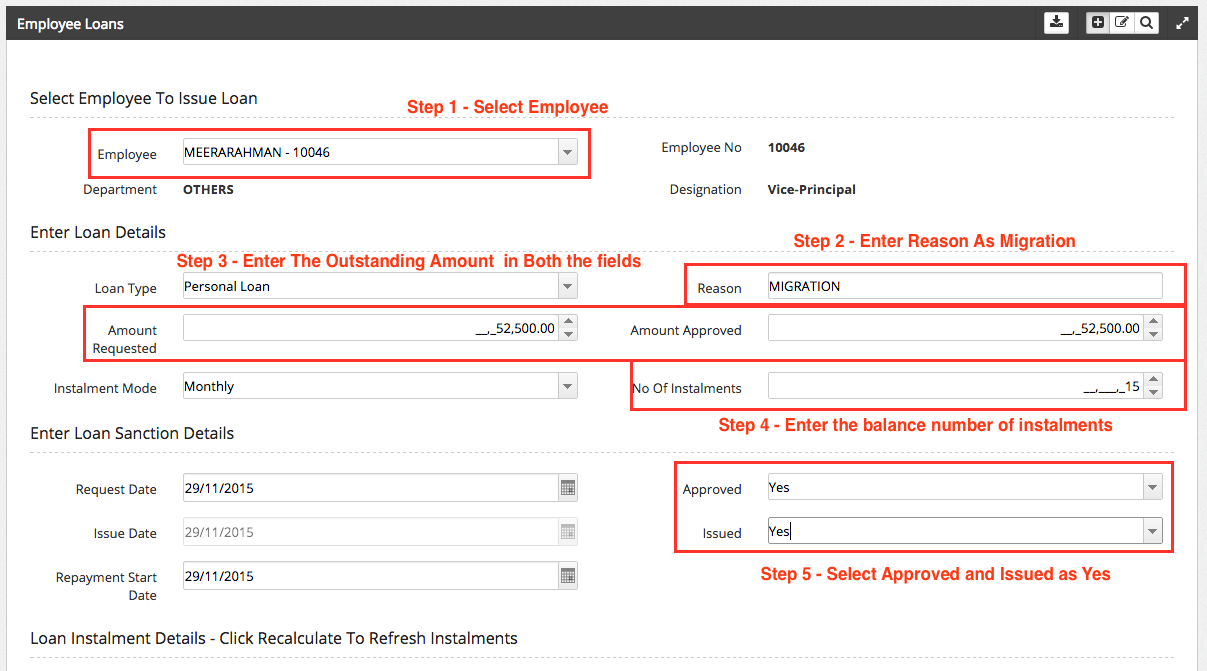
Click on the recalculate button to calculate the installments. Also select the OPENING BALANCE EQUITY as the Pay From account if you are entering opening balances from your old system. Else choose your appropriate bank account from which the payment was made.
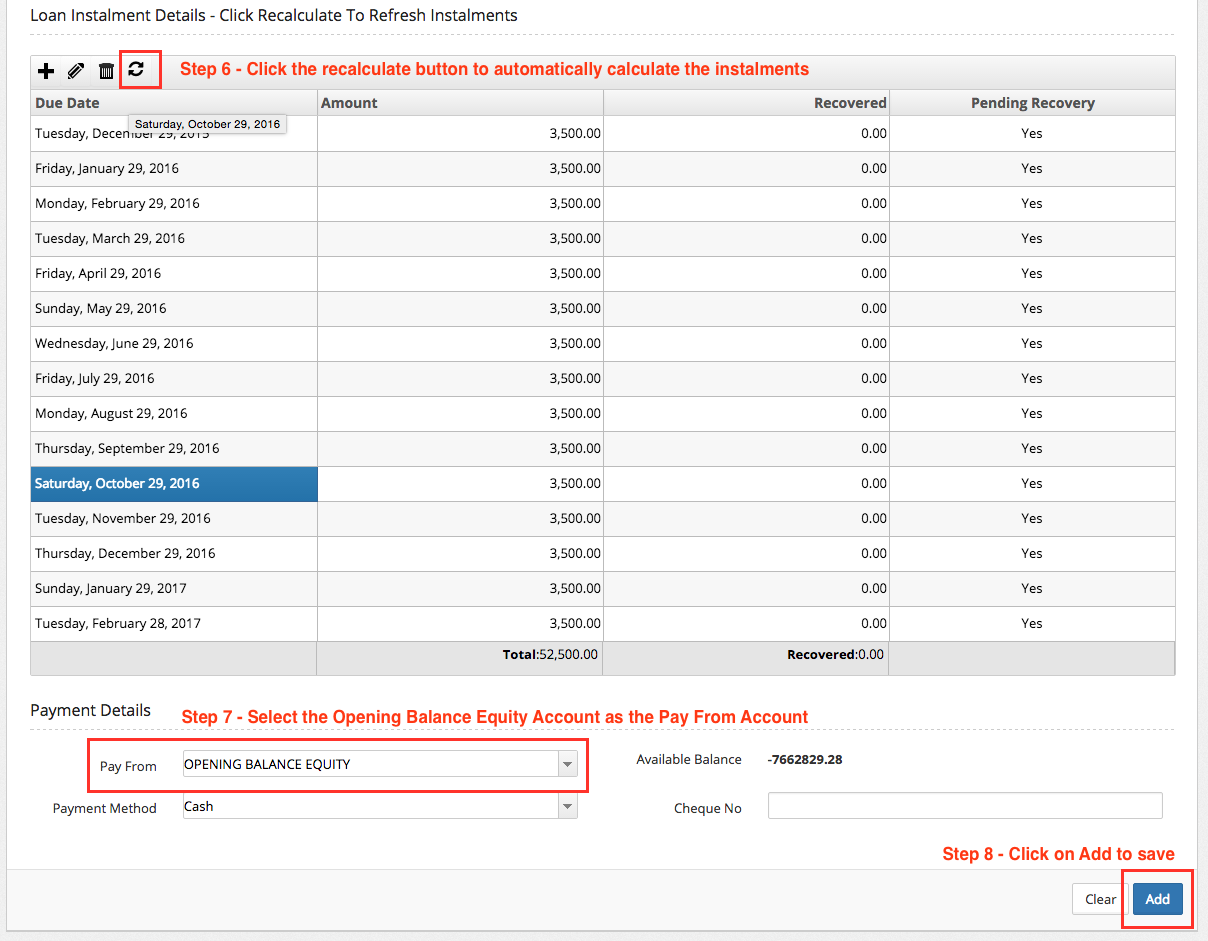
Click on add to save the changes.
Note: Approved loans cannot be edited by the user.